Deleting multiple images – LEICA Q3 Digital Camera User Manual
Page 215
PLAYBACK MODE ▸ DELETING RECORDINGS
215
Cancelling a deletion and return to the normal playback mode
▸
Select the “Go back” icon
(tap the icon directly or press the
PLAY
button)
Notes
• The Delete screen can be called up only by pressing the
MENU
button when in overview mode, because the menu function
De-
lete
of the “Play menu” is not available in this context.
• The “Scroll” and “Magnify” functions continue to be available
when the “Delete” screen is active.
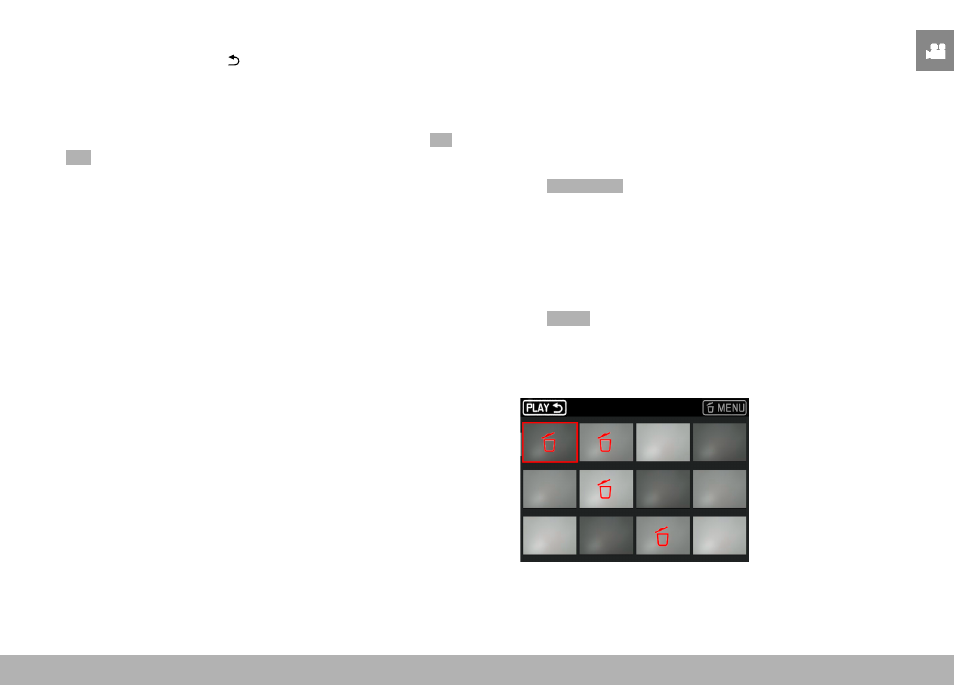
DELETING MULTIPLE IMAGES
Several recordings can be marked in a Delete overview with twelve
thumbnails and can then be deleted all at once. This overview can
be reached in two ways.
▸
Turn the thumbwheel to the left
• The overview screen appears.
▸
Press the
MENU
button
▸
Select
Delete Multi
in the play menu
• The Delete overview appears.
or
▸
Press the
MENU
button
▸
Select
Delete
in the play menu
• The Delete screen appears.
▸
Turn the thumbwheel to the left
• The Delete overview appears.