User profiles – LEICA Q3 Digital Camera User Manual
Page 61
CAMERA OPERATION ▸ USER-DEFINED OPERATION
61
USER PROFILES
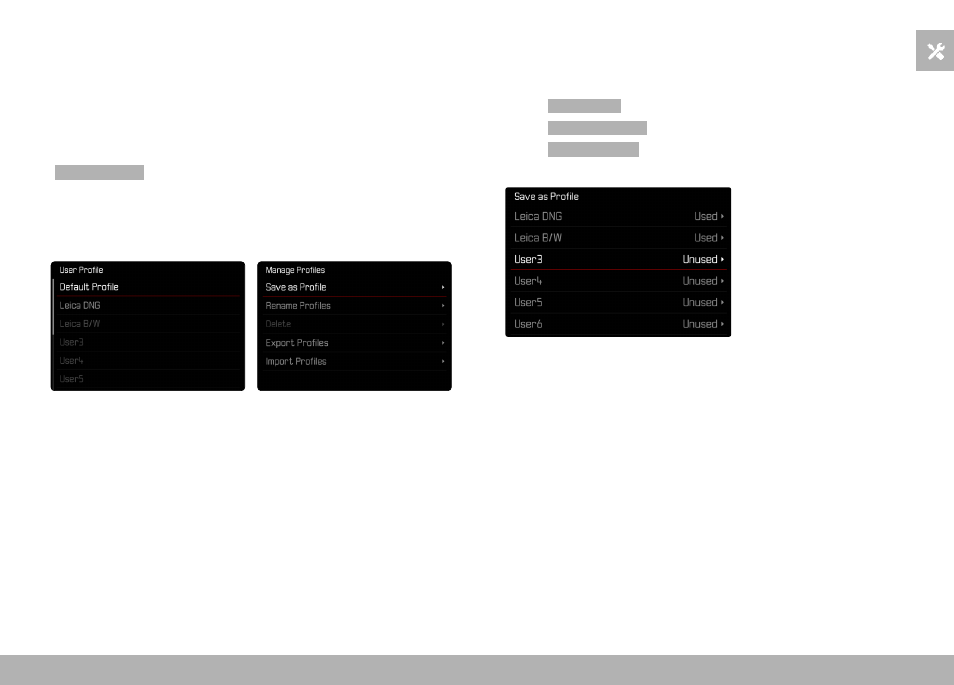
This camera allows the permanent storage of any menu settings,
to e.g. access them quickly and easily for recurring conditions/im-
age objects. The camera will also save the currently selected mode
(Photo/Video).
Six memory slots are provided to store custom settings, plus the
factory setting, which is always available and cannot be modified
(
Default Profile
). You can assign names for the saved profiles your-
self.
Any profiles configured for the camera can be saved to a memory
card for use on another camera. Similarly, profiles saved on a mem-
ory card can be transferred to the camera.
CREATING PROFILES
Saving settings/creating a profile.
▸
Create custom settings for the desired functions via menu control
▸
Select
User Profile
in the main menu
▸
Select
Manage Profiles
▸
Select
Save as Profile
▸
Select a memory slot
▸
Confirm the selection
Notes
• Existing profiles are overwritten with the latest settings.