LEICA Q3 Digital Camera User Manual
Page 146
REVIEW MODE ▸ CROPPED SECTION ZOOM
146
▸
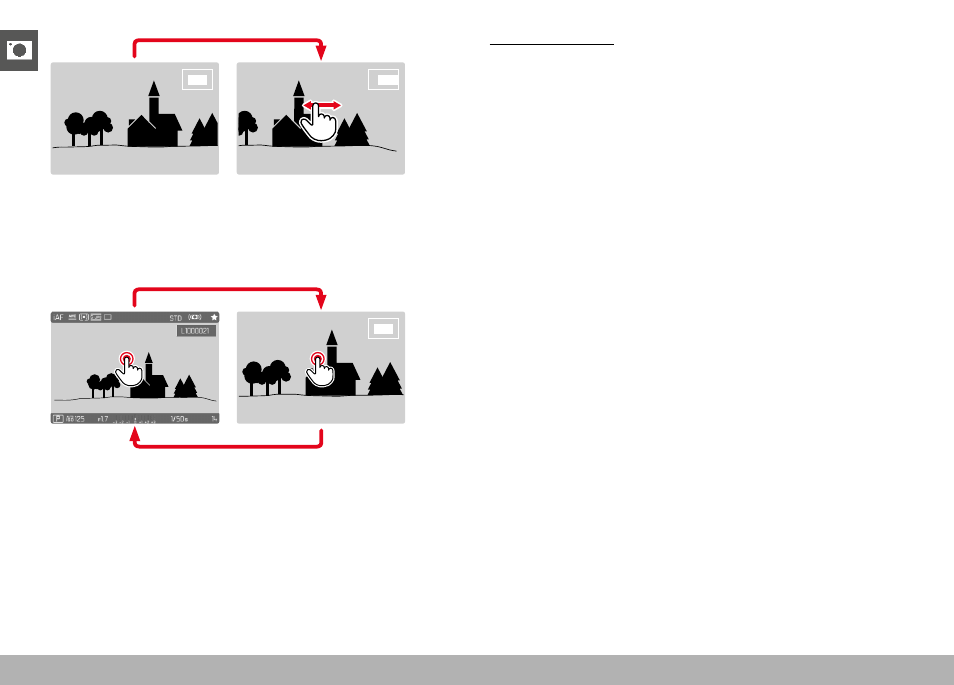
Move the position of an enlarged cropped section by swiping
• The rectangle within the frame at the top right represents the
current magnification, as well as its position in the displayed
cropped section.
▸
Double tap
• Toggles between the third zoom increment at the tap position
and standard full screen view.
Using button control
▸
Turn the thumbwheel
(to the right: increase magnification, to the left: decrease magni-
fication)
or
▸
Press the thumbwheel button
• Toggles between the third zoom increment at the tap position
and standard full screen view.
▸
Press the directional pad to move the enlarged section anywhere
in the image
• The rectangle within the frame at the top right represents the
current magnification, as well as its position in the displayed
cropped section.
You can move directly from one image to the next in magnification
mode, which will then also be displayed with the same magnifica-
tion.
▸
Press and hold the
PLAY
button while turning the thumbwheel
Notes
• It may not be possible to enlarge images taken with other camera
types.
• Video recordings cannot be enlarged.