Charging the battery – LEICA Q3 Digital Camera User Manual
Page 31
PREPARATION ▸ CHARGING THE BATTERY
31
CHARGING THE BATTERY
The camera is powered by a lithium-ion battery.
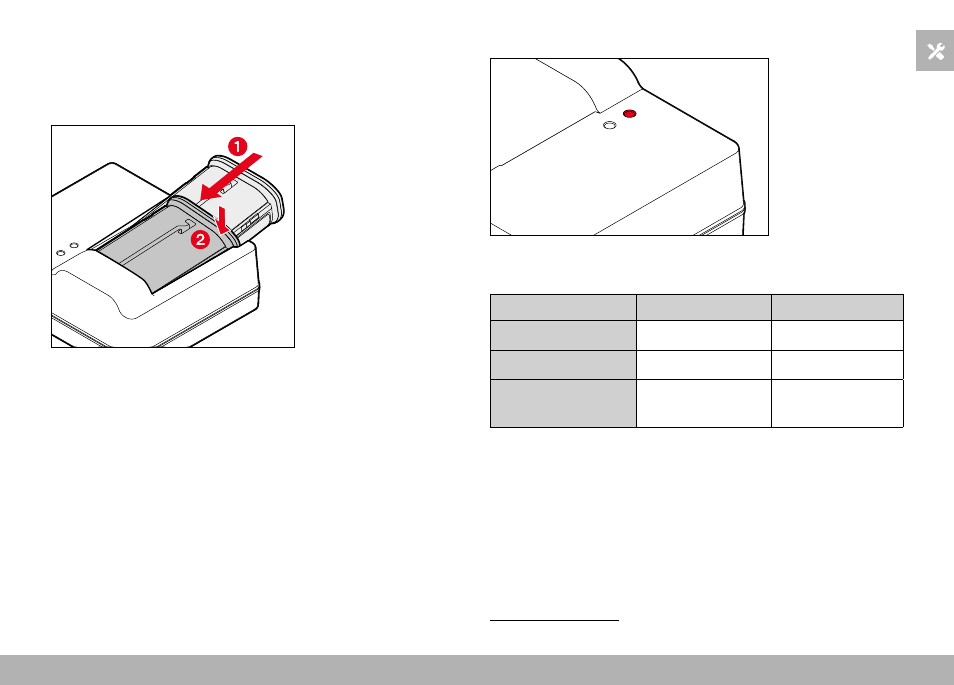
INSERTING THE BATTERY IN THE CHARGER
▸
Slide the battery into the charger with the groove facing up until
the contacts meet
▸
Press down on the battery until you can hear and feel it clicking
into place
▸
Ensure that the battery is fully inserted into the charger
REMOVING THE BATTERY FROM THE CHARGER
▸
Tilt the battery up and lift it out at an angle
CHARGE STATUS INDICATORS ON THE CHARGER
CHARGE
80%
The status LED indicates a correct charging process.
Display
Charge status
Charge time*
CHARGE
flashes green Battery is charging
80%
lights up orange 80%
Approx. 2 h
CHARGE
continuous
green light
100%
Approx. 3.5 h
Disconnect the charger from mains electricity when the charging
process is complete. There is no risk of overcharging.
* starting from a discharged state