T function, Noise reduction, T function noise reduction – LEICA Q3 Digital Camera User Manual
Page 115
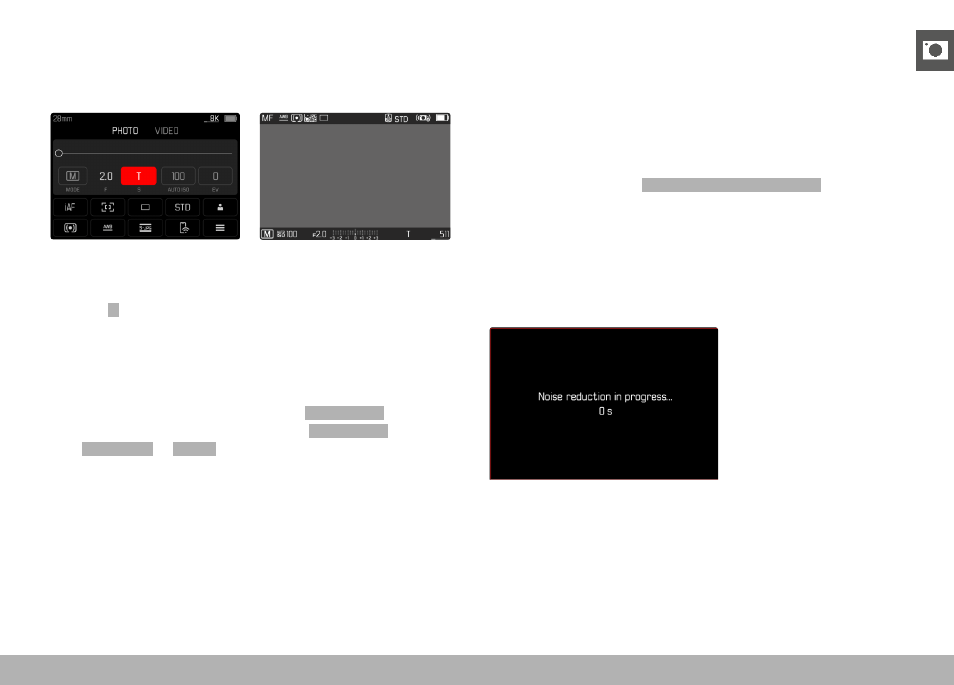
PHOTOGRAPHY ▸ EXPOSURE
115
T FUNCTION
In this setting, the shutter remains open after shutter release until
the shutter button is pressed again (ax. 2 min depending on ISO
setting).
▸
Set the shutter-speed dial to
1+
▸
Set the aperture ring to a fixed value
▸
Select
T
as the shutter speed
(Must be done via fine tuning of the shutter speed, see p. 114)
▸
Shutter release
Notes
• The maximum selectable shutter speed depends, among other
things, on the setting of the menu item
Shutter Type
, see
p. 107. The T function is available only if
Shutter Type
is set
to
Mechanical
or
Hybrid
.
• The remaining exposure time after shutter release is counted
down in seconds on the display for shutter speeds greater than
1 s.
NOISE REDUCTION
Image noise becomes more apparent when using higher sensitivi-
ties, particularly on uniform dark areas. Long exposure times may
cause severe image noise. In order to reduce this annoying phe-
nomenon, the camera will take a second “dark frame” (taken with
the shutter closed) automatically after a shooting with slow shutter
speed and high ISO value. The noise metered in this parallel image
is then digitally “subtracted” from the data for the actual image. In
such cases the message
Noise reduction in progress...
will appear
with a relevant time value.
The doubling of the “exposure” time must be taken into account for
long-term exposure times. The camera must not be switched off
during that time. We recommend disabling Noise Reduction to allow
shooting multiple frames in series and to apply noise reduction later
during the post-editing stage. The images will have to be taken in
raw data format.