Camera operation, Control elements, Main switch – LEICA Q3 Digital Camera User Manual
Page 38
Advertising
CAMERA OPERATION ▸ CONTROL ELEMENTS
38
CAMERA OPERATION
CONTROL ELEMENTS
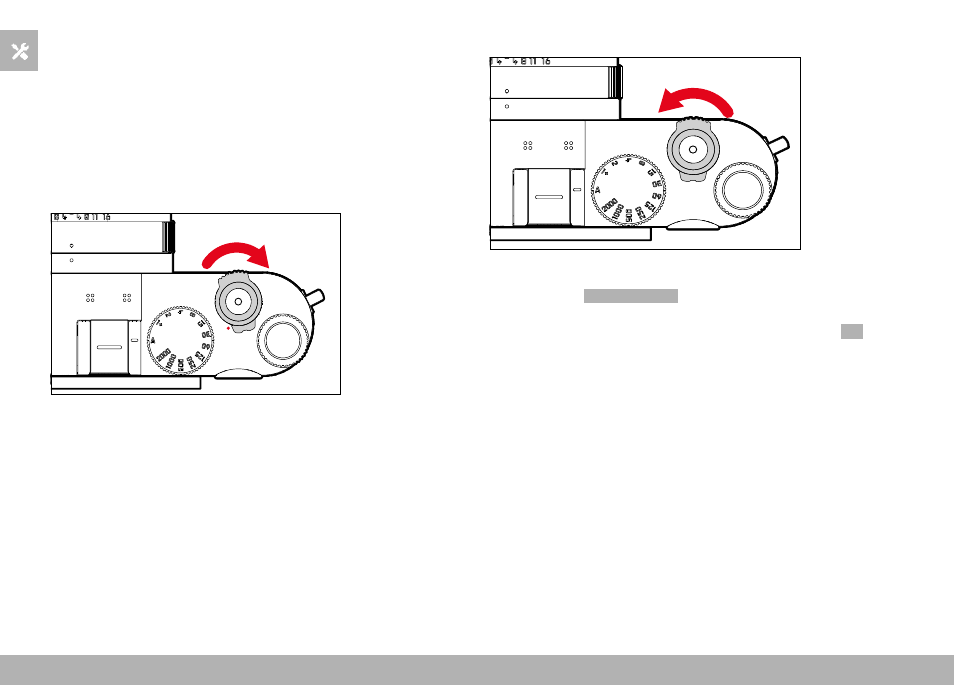
MAIN SWITCH
The main switch switches the camera on and off.
SWITCHING THE CAMERA ON
Notes
• Once switched on, the camera will be ready to use after approx.
1 s.
• The LED lights up briefly and the displays in the viewfinder appear.
SWITCHING THE CAMERA OFF
Note
• The function
Auto Power Off
(see p. 65) deactivates the camera
automatically if no operation occurs within a preset time. Use the
main switch to deactivate the camera if this function is
Off
to
prevent inadvertent exposures and battery discharge when the
camera is not in use.
Advertising