Direct access in review mode, Control elements on the lcd panel – LEICA Q3 Digital Camera User Manual
Page 139
REVIEW MODE ▸ CONTROL ELEMENTS IN REVIEW MODE
139
DIRECT ACCESS IN REVIEW MODE
The function buttons can have individual assignments in review
mode as well.
In factory settings, the function buttons have the following assign-
ments:
Button
Function
Thumbwheel button
Magnification
FN button
13
Delete Single
FN button
14
Mark shots (
Rate / Unrate
)
Center button
Toggle Info Levels
The descriptions in the next few sections presume factory settings.
Note
• The assigned function is independent of the current display
mode; the delete functions overview can therefore be accessed
directly in full screen display mode.
• The assigned function is unavailable if the function button
addresses an on-screen control element (e.g. in the “Delete”
screen).
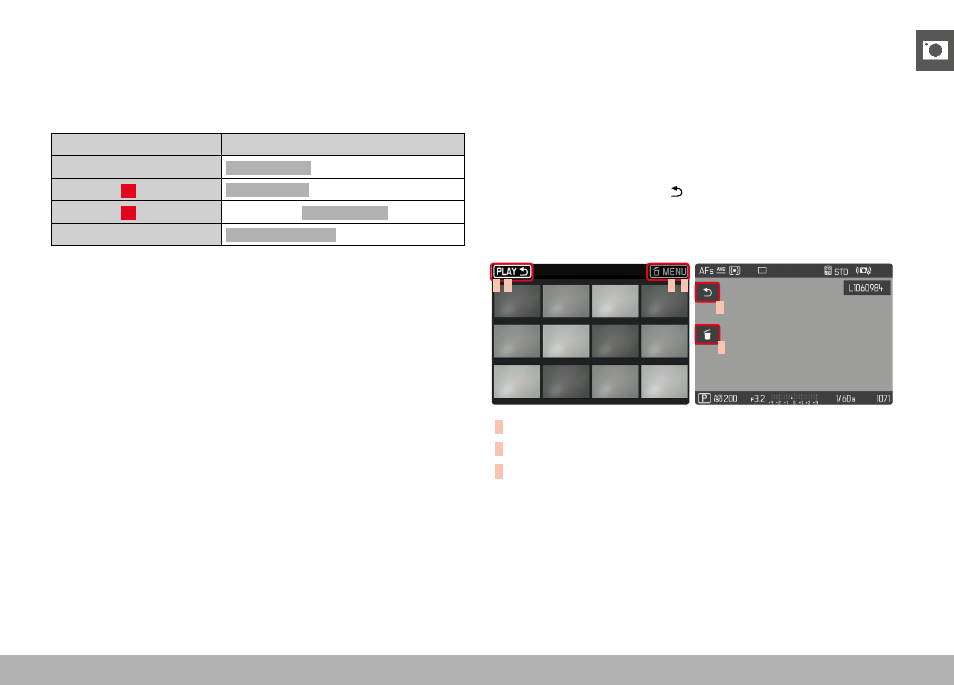
CONTROL ELEMENTS ON THE LCD PANEL
On-screen control elements generally function by intuitively by
touch. Many can also be selected by pressing one of the three
buttons to the right of the LCD panel (
PLAY
button, center button,
MENU
button). A control element in the header is accompanied by
an icon denoting the relevant button. A control element on the edge
of the screen will be positioned directly next to the relevant button.
Example: The “Go back” icon can be selected in one of two ways:
– tap on the “Go Back” icon directly
– press the relevant button
(top button =
PLAY
button)
C B
A C
A
B
A
Control element “Go back”
B
Control element “Delete”
C
Display of the relevant button