User-defined operation, Favorites menu – LEICA Q3 Digital Camera User Manual
Page 58
CAMERA OPERATION ▸ USER-DEFINED OPERATION
58
Using touch control
▸
Tap the desired button
• All available options are displayed for the buttons “Parameter”
and “Setting”.
• The “Parameter” button displays the currently set value for
each of the parameter options.
▸
Tap the desired alternative
SAVE
▸
Select the “Confirm” button
CANCEL
▸
Select the “Back” button
USER-DEFINED OPERATION
FAVORITES MENU
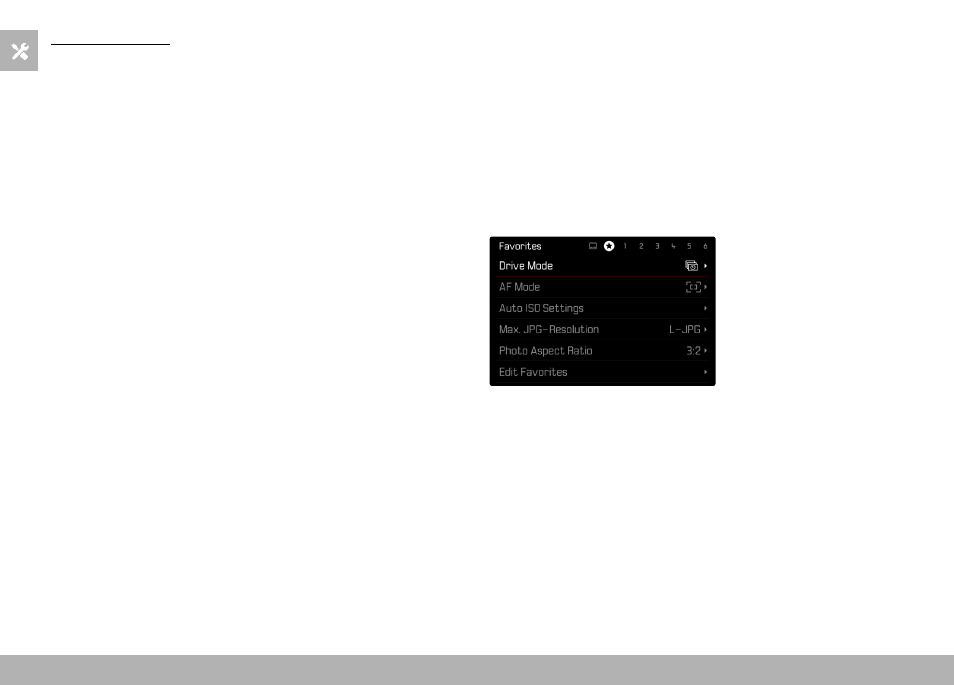
Assign your most frequently used menu items to a favorites menu
(up to 11 items) for quick and easy access. The available functions
are shown in the list on p. 246.
As there are separate menu sections for photo and video mode, the
associated favorite menus can also be assigned individually.
The favorites menu will be represented by an asterisk in the header
line, provided it contains at least one menu item.