Navigate to any point in the file, End playback, Playback mode ▸ video playback 220 – LEICA Q3 Digital Camera User Manual
Page 220: Using button control ▸ press the, Button, Play
Advertising
PLAYBACK MODE ▸ VIDEO PLAYBACK
220
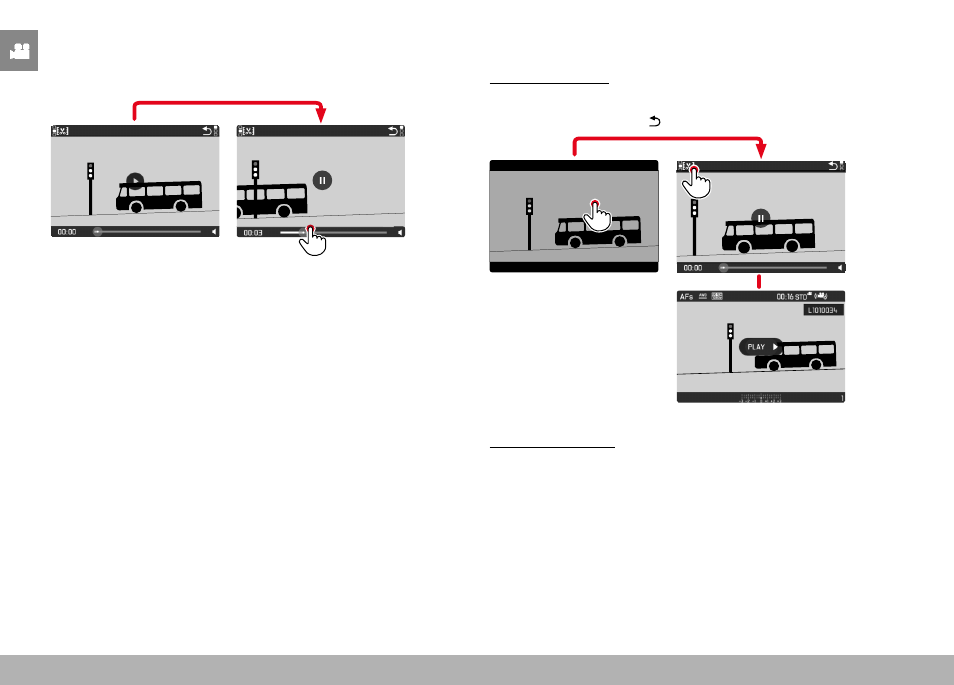
NAVIGATE TO ANY POINT IN THE FILE
While the control elements are visible:
▸
Tap the Playback status bar at the desired position
INFO
1/8000
2.8
F
12500
ISO
EV
SET
-3 2
1 0
2
1
3+
8234
12
MP
18:26
END PLAYBACK
Using touch control
While the control elements are visible:
▸
Tap the “Go back” icon
INFO
1/8000
2.8
F
12500
ISO
EV
SET
-3 2
1 0
2
1
3+
8234
12
MP
16:12
Using button control
▸
Press the
PLAY
button
Advertising