Lcd panel/viewfinder settings, Lcd panel/evf use – LEICA Q3 Digital Camera User Manual
Page 66
CAMERA BASIC SETTINGS ▸ LCD PANEL/VIEWFINDER SETTINGS
66
LCD PANEL/VIEWFINDER SETTINGS
The camera comes equipped with a 3” liquid crystal color panel,
which is protected by a glass cover made of extremely hard and
scratch-resistant glass.
The following functions can be configured and used individually:
– Use of the LCD panel and EVF (electronic viewfinder)
– Eye sensor sensitivity
– Brightness
– Color rendering
– EVF Frame Rate
– Automatic LCD panel and EVF shutdown
LCD PANEL/EVF USE
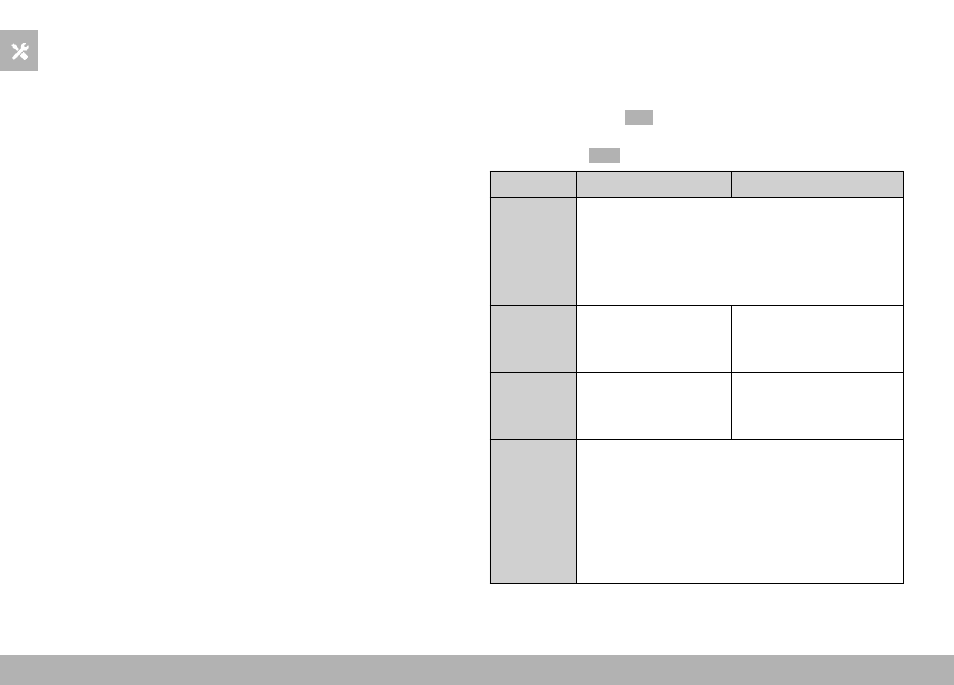
You can preset the situations in which EVF and LCD panel should
be used. The displays appearing on screen and in the electronic
viewfinder are identical.
The setting toggles to
LCD
automatically when the screen is folded
out. The original setting resumes, once the screen is folded back in.
Factory setting:
Auto
EVF
LCD panel
Auto
The eye sensor in the viewfinder automatically tog-
gles the camera between LCD panel and EVF.
• Shooting
• Review
• Menu control
LCD
• Shooting
• Review
• Menu control
EVF
• Shooting
• Review
• Menu control
EVF
extended
Only EVF is used for shooting mode. The eye
sensor in the viewfinder automatically toggles the
camera between LCD panel and EVF for review and
menu control.
• Shooting
• Review
• Menu control