Inserting/removing the memory card – LEICA Q3 Digital Camera User Manual
Page 33
PREPARATION ▸ INSERTING/REMOVING THE MEMORY CARD
33
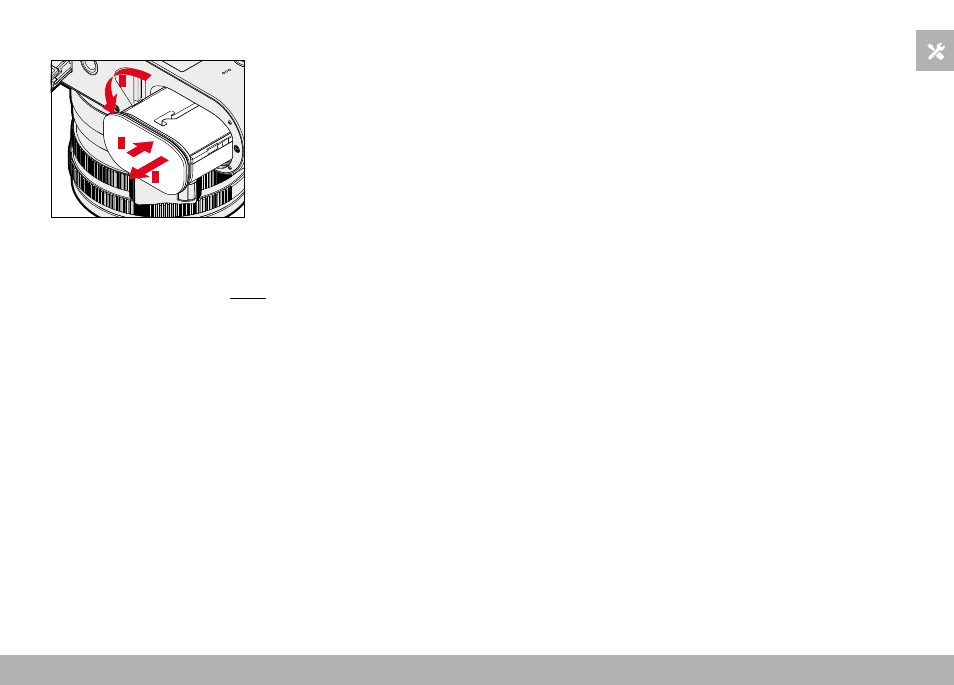
REMOVAL
1
2
3
▸
Turn the battery release lever
• Battery is pushing out slightly.
▸
Press down on the battery lightly
• The battery unlocks and pushes out fully.
▸
Remove the battery
Important
• Removing the battery while the camera is switched on may result
in the loss of custom settings or damage to the memory card.
INSERTING/REMOVING THE MEMORY CARD
The camera will save exposures to an SD (Secure Digital), SDHC
(High Capacity) or SDXC (eXtended Capacity) memory card.
Notes
• SD/SDHC/SDXC memory cards are available from various sup-
pliers in a range of sizes and with differing read/write speeds.
Memory cards with high storage capacities and high read/write
speeds offer quick storage and rendering.
• The memory card may not be supported (capacity) or will have
to be formated in the camera before first use (see p. 79). The
camera will in that case display a relevant message. Please see
the section “Technical Data” for information about supported
cards.
• Check the memory card for correct alignment if you are having
difficulties inserting it into the camera.
• See p. 10 and p. 13 for additional information.
• Video shootings require a high write speed.