Jumping to a specific picture in the group, Resuming playback, Save as a video – LEICA Q3 Digital Camera User Manual
Page 144
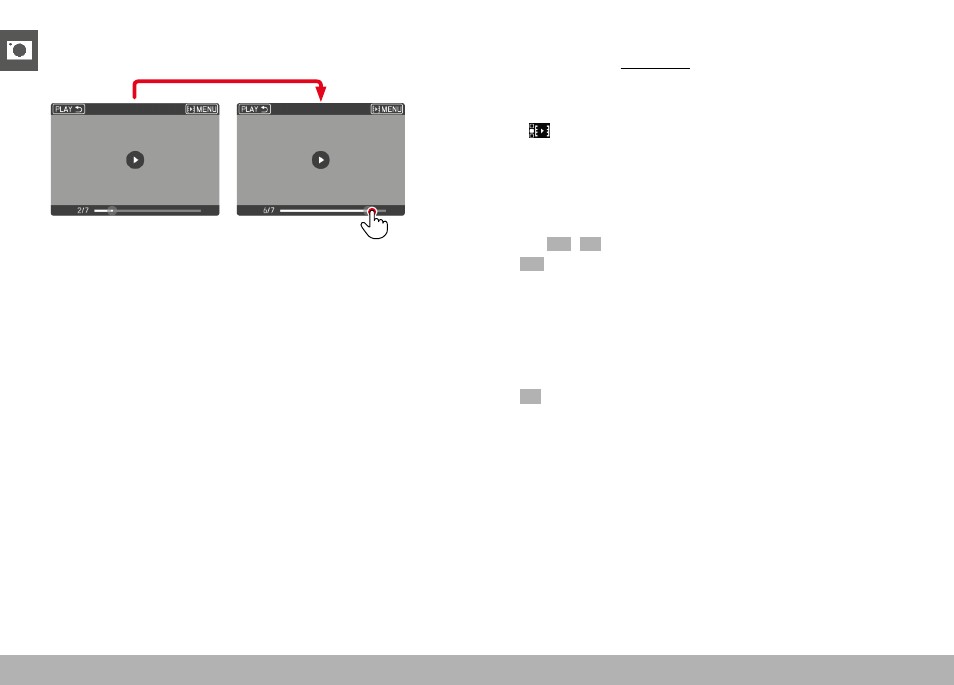
REVIEW MODE ▸ PICTURE SERIES REVIEW
144
JUMPING TO A SPECIFIC PICTURE IN THE GROUP
▸
Tap the playback status bar in the desired position
RESUMING PLAYBACK
While the control elements are visible:
▸
Tap anywhere on the LCD panel
or
▸
Press the center button
SAVE AS A VIDEO
The frame series can additionally be saved as a video.
▸
Starting and stopping review
• The control elements appear.
▸
Tap
or
▸
Start playback
▸
Press the center button
• The prompt screen for video creation appears.
▸
Select
Yes
/
No
–
Yes
: A video is created
• A progress screen for the video creation is displayed
briefly (while the data is being processed). It also offers
the option of canceling the process by pressing the center
button.
• Once video creation is complete, the first frame of the
new video is displayed.
–
No
: Revert to the same picture of the (still paused) automatic
review