Flash control, Sync point – LEICA Q3 Digital Camera User Manual
Page 134
PHOTOGRAPHY ▸ FLASH PHOTOGRAPHY
134
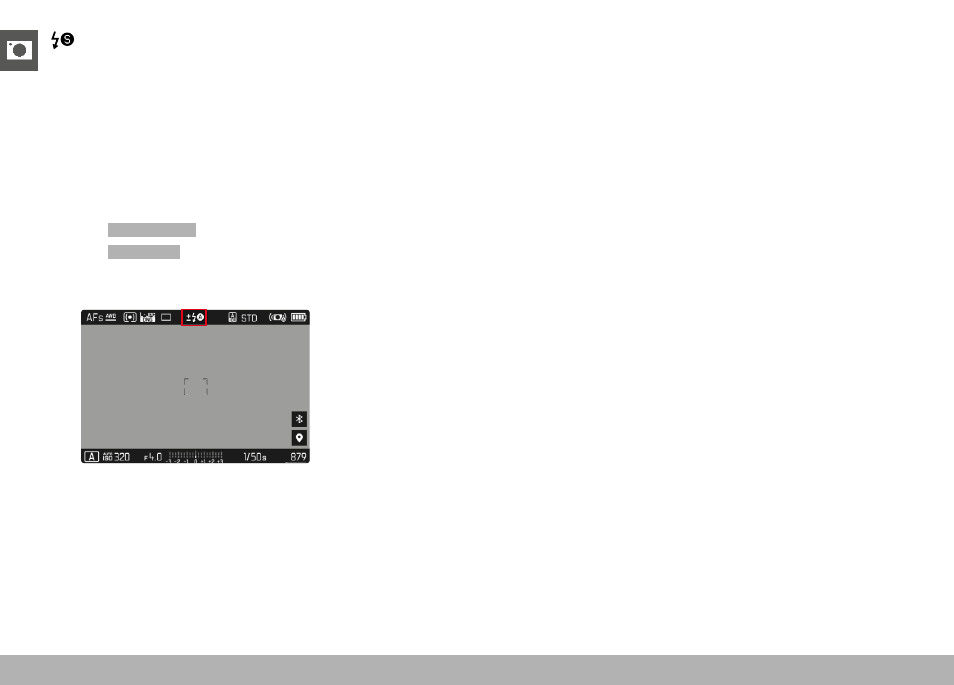
AUTOMATIC FLASH ACTIVATION AT SLOWER SHUTTER
SPEEDS (LONG-TERM SYNCHRONIZATION)
This mode ensures appropriately exposed, brighter dark backgrounds
and bright foreground.
The shutter speed is not extended beyond 1⁄30 s in the other flash
modes to minimize the risk of blurring. This may mean, however, that
pictures with flash exposure can end up with objects in the back-
ground not illuminated by the flash and therefore being underex-
posed. In this mode, slower shutter speeds (up to 30 s) are permitted
to avoid this effect.
▸
Select
Flash Settings
in the main menu
▸
Select
Flash Mode
▸
Select the desired setting
• The currently active mode is displayed on screen.
FLASH CONTROL
The settings and functions described in the following sections only
apply to settings and functions available in this camera and in sys-
tem-compatible flash units.
SYNC POINT
Flash exposures are lit by two light sources:
– existing light from the environment
– the additional flash
Any subject elements lit primarily by the flash will almost always be
rendered in perfect focus by the short burst of light, provided the
focus is set correctly. All other subject elements in the same frame
lit by ambient light or lit from within will be rendered with varying
degrees of sharpness. Whether or not these object elements will be
rendered in sharp focus or blurred, as well as the degree of “blurri-
ness” depends on two interdependent factors:
– the shutter speeds
– the speed of movement of the subject elements or camera during
shooting
The longer the shutter speed and the faster the motion, the greater
the difference between the two superimposed partial images.