Charging via usb, Inserting/removing the battery – LEICA Q3 Digital Camera User Manual
Page 32
PREPARATION ▸ INSERTING/REMOVING THE BATTERY
32
CHARGING VIA USB
The rechargeable battery in the camera can be automatically
charged when the camera is connected to a computer or another
suitable power source via USB cable.
Factory setting:
On
▸
Select
Camera Settings
in the main menu
▸
Select
USB Charging
▸
Select
On
/
Off
Notes
• A 9 V/3 A (≥ 27 W) switching adapter is required to charge the
battery while the camera is switched on. The camera can still be
operated when a lesser switching adapter is used, but the battery
will still discharge slowly.
• The charging will start automatically.
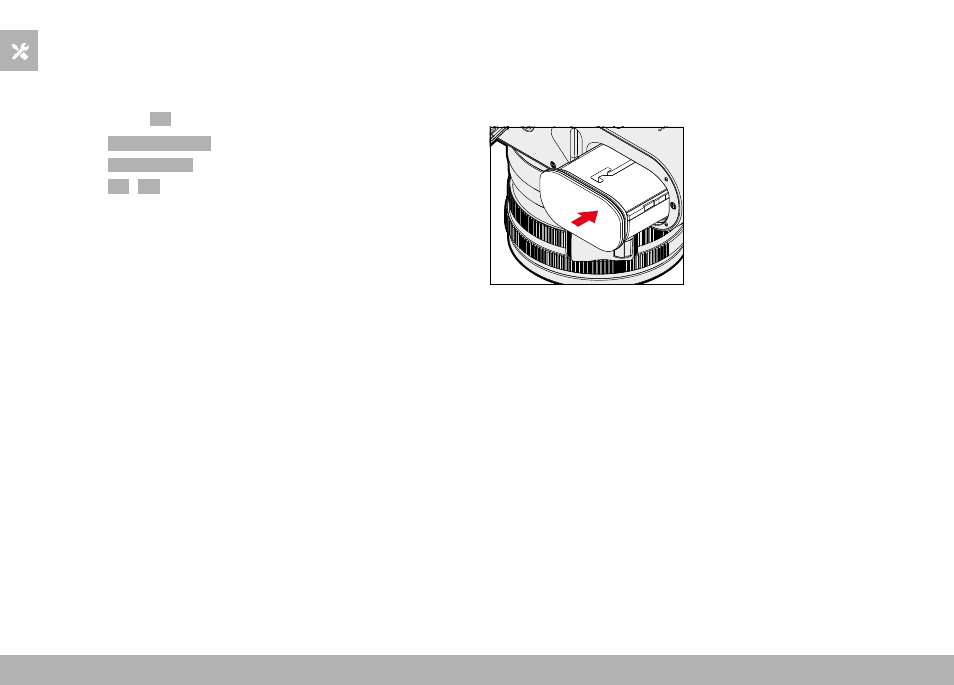
INSERTING/REMOVING THE BATTERY
▸
Ensure that the camera is switched OFF (see p. 38)
INSERTION
▸
Insert the battery into the slot with the groove pointing towards
the LCD panel and gently push until you hear and feel it clicking
into place