Mf assist functions, Enlargement in af mode – LEICA Q3 Digital Camera User Manual
Page 98
PHOTOGRAPHY ▸ FOCUSING
98
MF ASSIST FUNCTIONS
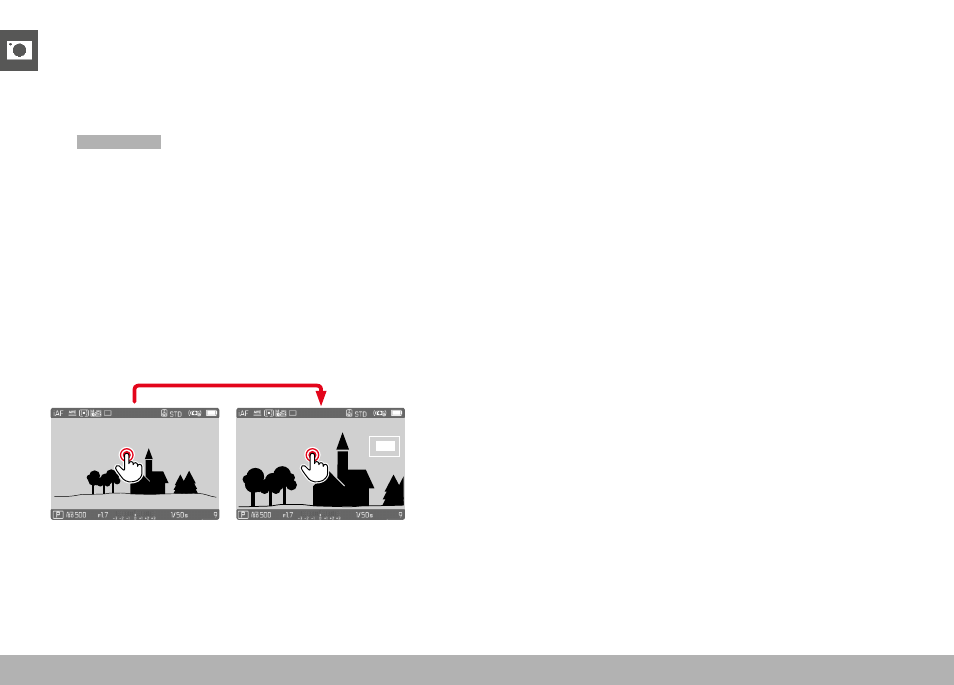
ENLARGEMENT IN AF MODE
You can access the enlargement function independent of focusing
for a better assessment of the settings.
The
Magnification
function must be assigned to one of the function
buttons to use this feature (see p. 59).
Assigning a function to a function button
▸
See p. 59
Accessing the enlargement function
▸
Press the function button
• An enlarged image section appears. The position of the en-
largement depends on the position of the AF frame.
• The rectangle within the frame at the top right represents the
current magnification, as well as its position in the displayed
cropped section.
Adjusting the enlargement function
▸
Press the center button
• The image section toggles between magnification factors.
Changing the position of the enlarged section
▸
Press the directional pad in the relevant direction
Exiting the enlargement function
▸
Tap the shutter button
or
▸
Press the function button again
Notes
• The enlargement function remains active until it is exited.
• The most recently magnification function will still be active the
next time the feature is accessed.