Setting the video format, Image properties – LEICA Q3 Digital Camera User Manual
Page 158
VIDEO SETTINGS ▸ IMAGE PROPERTIES
158
SETTING THE VIDEO FORMAT
Factory setting: file format MOV, resolution 4K, frame rate 29.97 fps
MOV
▸
Select
Video Format / Resolution
in the main menu
▸
Select
MOV
▸
Select the desired resolution
(
C8K
,
8K
,
C4K
,
4K
,
FHD (ProRes)
,
FHD (264)
,
FHD Slow Motion
(H265)
)
▸
Select the desired frame rate
MP4
▸
Select
Video Format / Resolution
in the main menu
▸
Select
MP4
▸
Select the desired resolution
(
8K
,
4K
,
FHD
)
▸
Select the desired frame rate
Notes
• The list of available resolutions for this camera also contains
additional information, e.g. on video compression.
• More details about available video formats can be found in the
chapter “Technical Data” (see p. 262). There you will also find
information regarding possible limitations for HDMI output.
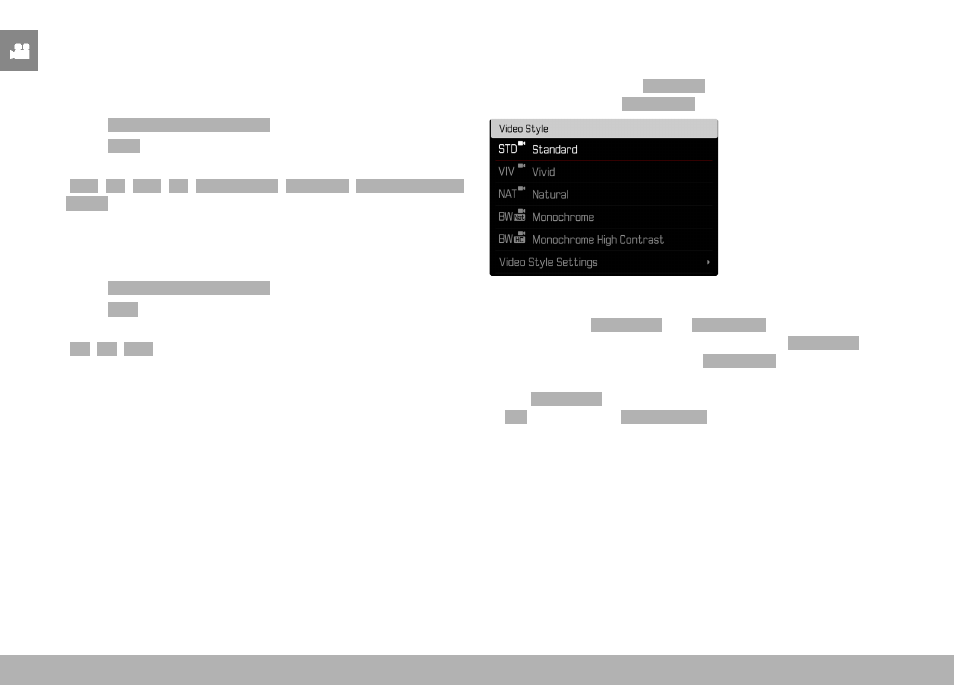
IMAGE PROPERTIES
The Leica Q3 offers two functions for the adjustment of video
recordings: user-defined
Film Style
profiles, and professionally
adapted, pre-defined
Leica Looks
profiles.
Notes
• The functions
Video Style
and
Leica Looks
can not be applied
concurrently. When a profile is selected under
Video Style
, any
profile selected previously under
Leica Looks
will be automatically
deactivated, and vice versa.
• The
Video Style
function is unavailable if any other setting but
Off
is selected for
Video Gamma
.