Automatic control/fixed settings, Manual setting via metering – LEICA Q3 Digital Camera User Manual
Page 197
RECORDING VIDEO ▸ WHITE BALANCE
197
AUTOMATIC CONTROL/FIXED SETTINGS
–
Auto
: for automatic control, which delivers neutral results in
most situations
– Various fixed presets for most frequently encountered light sources:
Daylight
For outdoor shootings in sunlight
Cloudy
For outdoor shootings in cloudy conditions
Shadow
For outdoor shootings with the main subject
in shadow
Tungsten
For indoor shootings with (predominantly)
incandescent lamp light
Flash
For shooting with flash
▸
Select
White Balance
in the main menu
▸
Select the desired setting
MANUAL SETTING VIA METERING
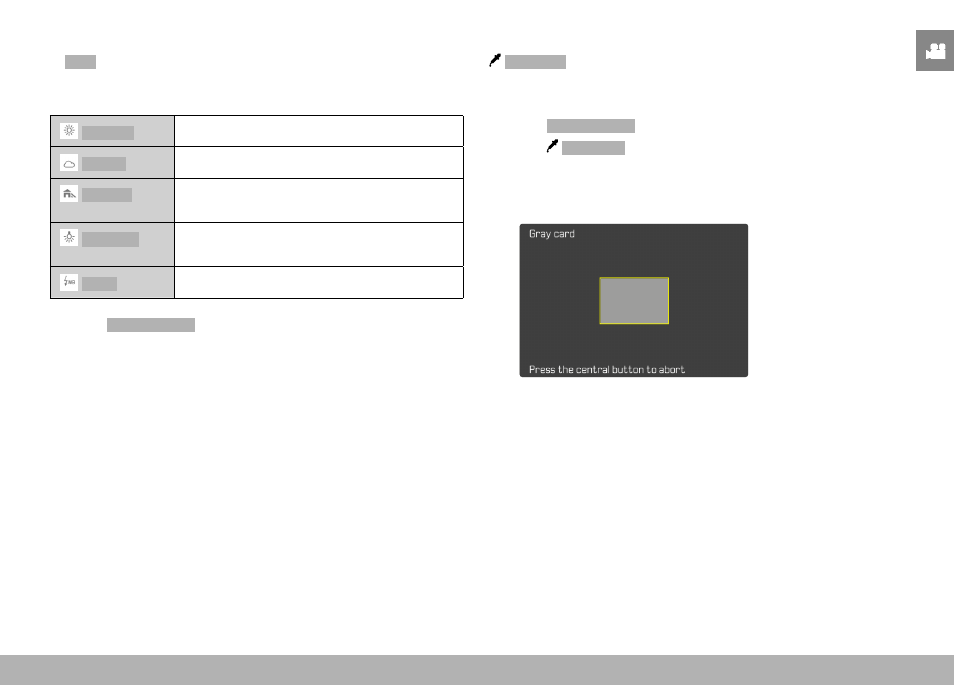
Gray card
This metering variant captures all color hues in the metering field
and uses these to calculate a mean gray value.
▸
Select
White Balance
in the main menu
▸
Select
Gray Card
• The following appears on the LCD panel:
– the image based on automatic white balance
– a frame in the center of the image
▸
Aim the metering field at a white or neutral gray area
• The screen image changes dynamically in line with the refer-
ence area in the frame.