Aspect ratio, Image properties, Aspect ratio image properties – LEICA Q3 Digital Camera User Manual
Page 72
STILL IMAGE SETTINGS ▸ ASPECT RATIO / IMAGE PROPERTIES
72
ASPECT RATIO
You have a choice of aspect ratios to select in addition to the basic
3:2 (e.g. 1:1). The relevant cropped section will be displayed. Images
made in JPG format are saved with the relevant aspect ratio. DNG
images will always have the natural sensor format (3:2), the set
aspect ratio is only in aid of the image composition. In review mode,
DNG images will be displayed with horizontal or vertical auxiliary
lines showing the cropped section seen when shooting.
Factory setting:
3:2
▸
Select
Photo Aspect Ratio
in the main menu
▸
Select the desired setting
(
3:2
,
4:3
,
1:1
,
16:9
)
IMAGE PROPERTIES
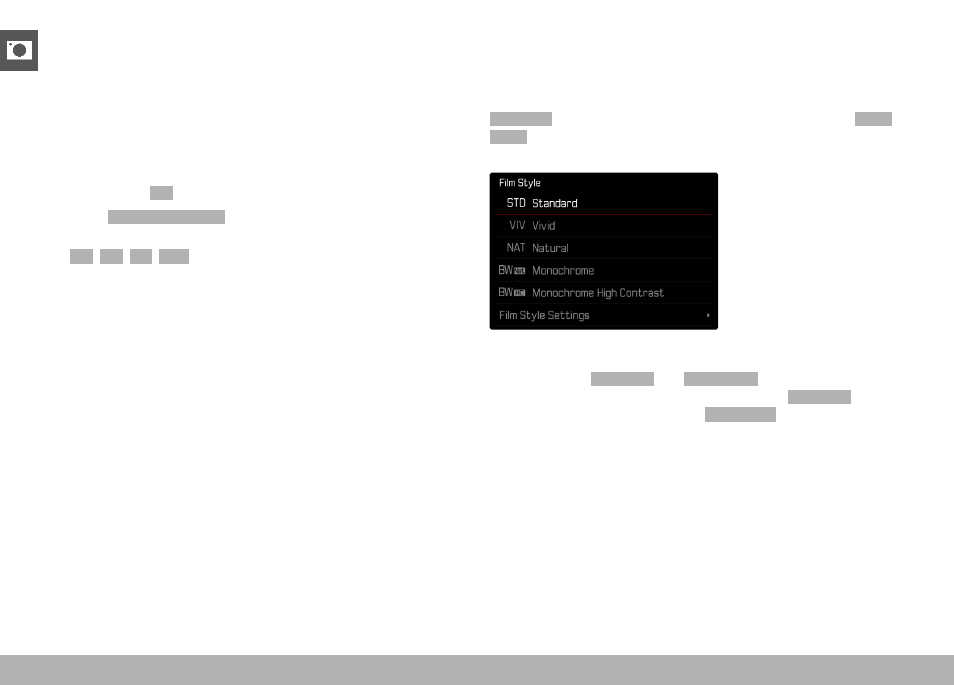
One of the many advantages of digital photography is that it is very
easy to change essential image properties. The Leica Q3 offers two
functions for the adjustment of JPG format frames: user-defined
Film Style
profiles, and professionally adapted, pre-defined
Leica
Looks
profiles.
Note
• The functions
Film Style
and
Leica Looks
can not be applied
concurrently. When a profile is selected under
Film Style
, any
profile selected previously under
Leica Looks
will be automatically
deactivated, and vice versa.