Date/time menu, Combi menu (image properties), Date/time menu combi menu (image properties) – LEICA Q3 Digital Camera User Manual
Page 56
Advertising
CAMERA OPERATION ▸ MENU CONTROL
56
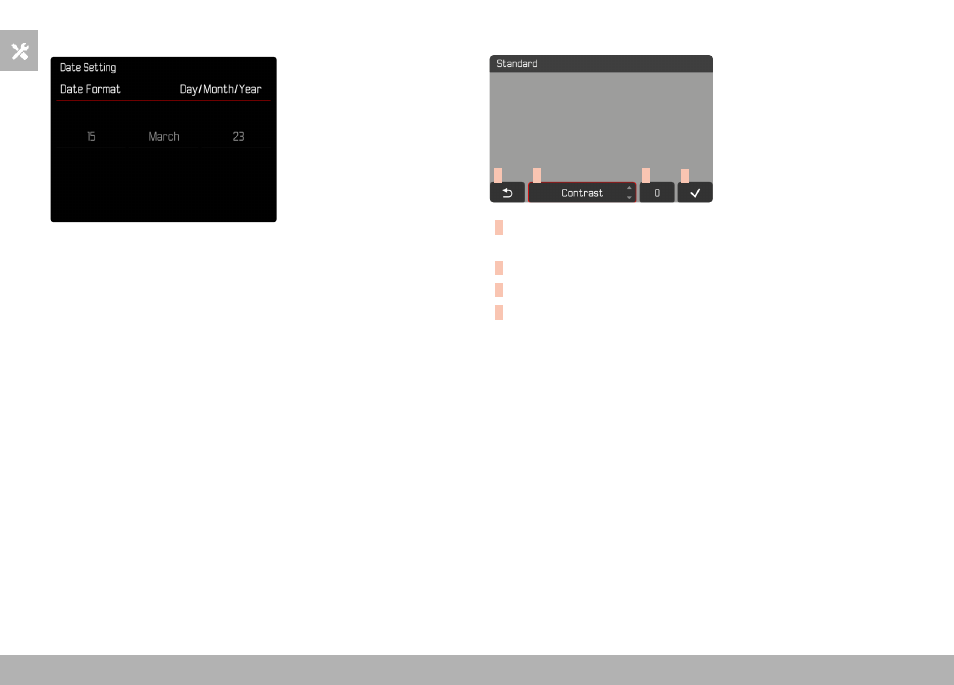
DATE/TIME MENU
Moving to the next settings field
▸
Press the directional pad left/right
Setting values
▸
Press the directional pad up/down
or
▸
Turn the thumbwheel
Saving and returning to superordinate menu item
▸
Press the center button
COMBI MENU (IMAGE PROPERTIES)
A
B
C
D
A
“Back” button
(Exit without saving)
B
“Parameter” button
C
“Setting” button
D
“Confirm” button
(Save and exit)
The operation is slightly different, depending on whether the settings
are done via key control or touch control.
The screen image will remains visible continuously while settings are
being adjusted. The result of the setting can be observed directly.
Advertising