Deleting recordings, Deleting individual recordings – LEICA Q3 Digital Camera User Manual
Page 214
PLAYBACK MODE ▸ DELETING RECORDINGS
214
DELETING RECORDINGS
There are several methods available to delete recordings:
– deleting individual recordings
– deleting multiple recordings
– deleting all recordings without a icon/ranking
– deleting all recordings
Important
• Once deleted, images are no longer retrievable.
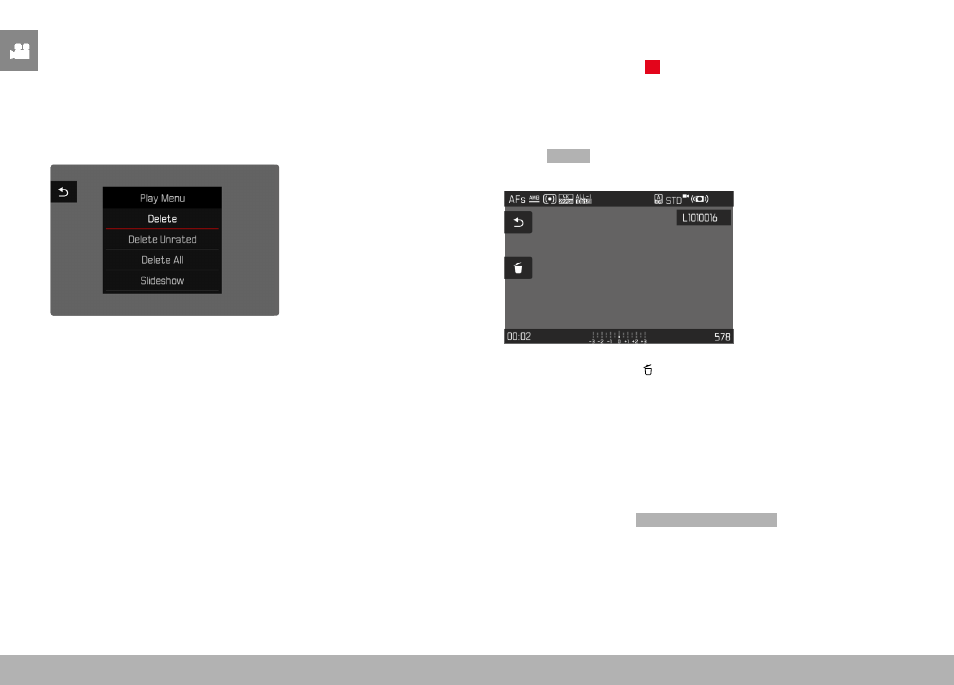
DELETING INDIVIDUAL RECORDINGS
▸
Press the FN button 1 (
13
)
• The Delete screen appears.
or
▸
Press the
MENU
button
▸
Select
Delete
in the play menu
• The Delete screen appears.
▸
Select the Delete icon
(tap the icon directly or press the center button)
• The recording will be deleted without additional confirmation
prompt.
• The LED will flash during the delete process. The process may
take a few seconds.
• The next image will be displayed once deletion is complete.
The following message appears if no other recordings are
saved on the card:
No valid picture to play
.