Deleting unrated images, Deleting picture series, Deleting unrated images deleting picture series – LEICA Q3 Digital Camera User Manual
Page 152
REVIEW MODE ▸ DELETING IMAGES
152
DELETING UNRATED IMAGES
▸
Press the
MENU
button
▸
Select
Delete Unrated
in the play menu
• The prompt
Do you really want to delete all not rated files?
appears.
▸
Select
Yes
• The LED will flash during the deletion process. The process
may take a few seconds. The next marked image appears once
deletion is complete. The message
No valid picture to play
appears if no other images are saved on the card.
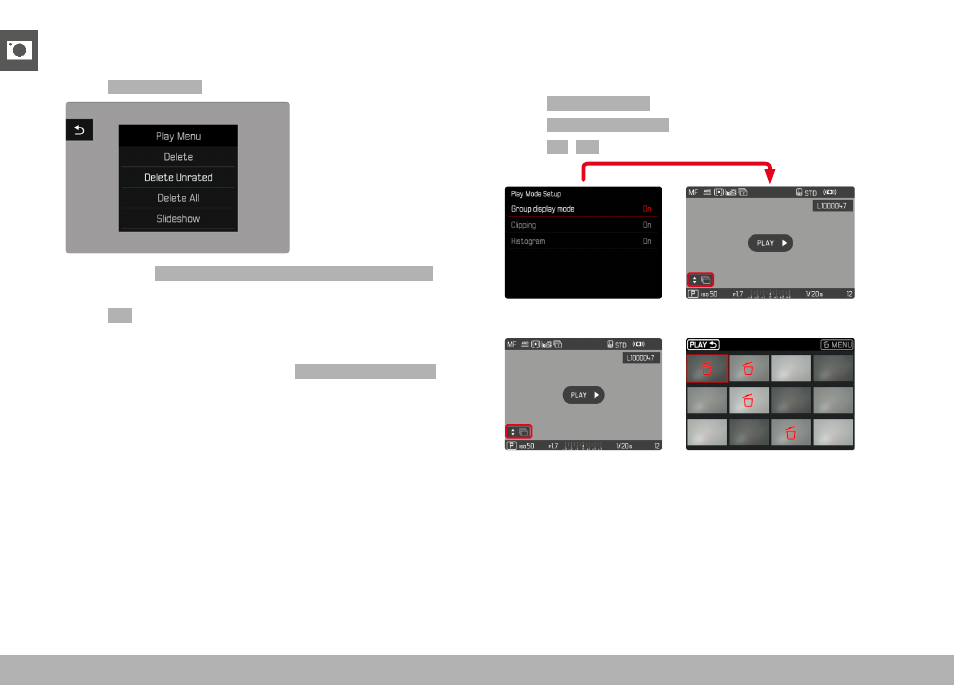
DELETING PICTURE SERIES
Picture series can be displayed in groups for quick deletion. The
pictures will have to be displayed in groups.
▸
Select
Play Mode Setup
in the main menu
▸
Select
Group display mode
▸
Select
On
/
Off
▸
Select the representative image
▸
Delete
• All pictures in the picture series will be deleted.