Managing the favorites menu, Direct access to menu functions – LEICA Q3 Digital Camera User Manual
Page 59
CAMERA OPERATION ▸ USER-DEFINED OPERATION
59
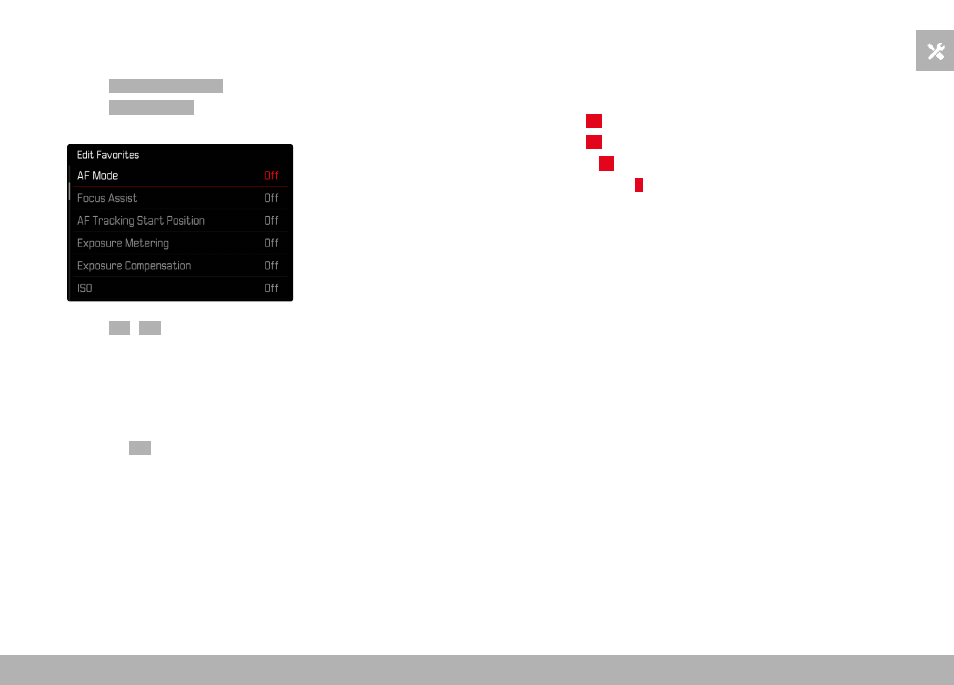
MANAGING THE FAVORITES MENU
▸
Switch to the desired mode (photo or video)
▸
Select
Customize Control
in the main menu
▸
Select
Edit Favorites
▸
Select the desired menu item
▸
Select
On
/
Off
• A warning message appears when the favorites menu has
reached the maximum of 11 menu items and no further items
can be added.
Note
• The favorites menu will be deleted completely if all menu items
are set to
Off
.
DIRECT ACCESS TO MENU FUNCTIONS
You can assign specific menu functions to the following operating
elements (function buttons) for extra quick direct access to menu
items in shooting mode from a custom list.
– FN button 1 (
13
)
– FN button 2 (
14
)
– Center button (
19
)
– Thumbwheel button (
5
)
The assignments in photo and video mode are completely indepen-
dent of each other. The available functions are shown in the list on
p. 246. For factory settings see p. 44.
Notes
• The submenus accessed via direct access may look differently
than when they are accessed via the main menu. Specifically,
they often appear as menu bars to allow quick settings.
• The settings can be done via key control or using touch control
on the LCD panel. The operating mode depends on the type of
submenu.