Configuration procedure – H3C Technologies H3C SecPath F1000-E User Manual
Page 114
Advertising
24
Configuration procedure
Step1
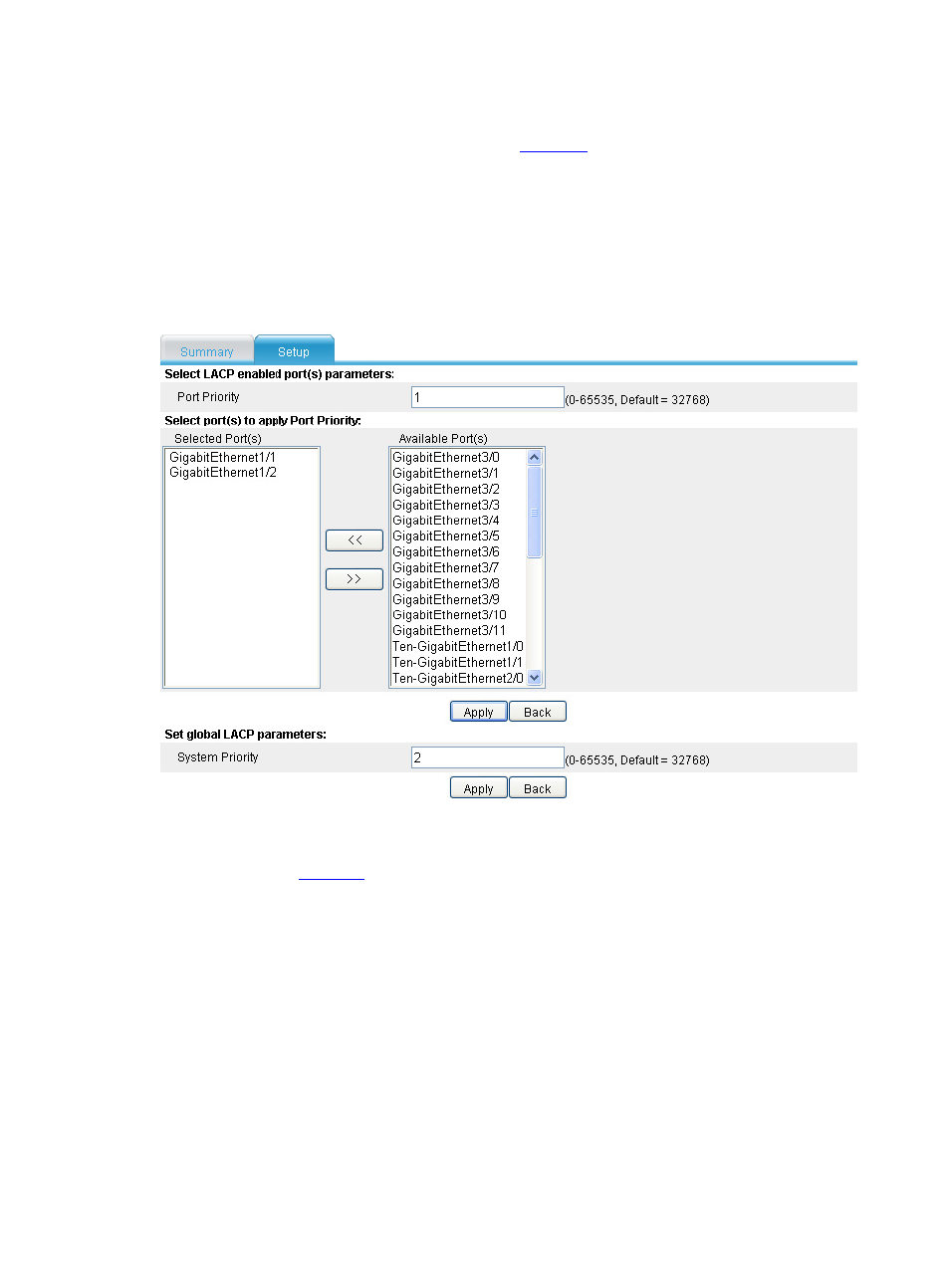
Configure LACP priorities on Device A, as shown in
•
Select Device Management > LACP from the navigation tree.
•
Type the port aggregation priority as 1.
•
Select the interfaces GigabitEthernet 1/1 and GigabitEthernet 1/2.
•
Type the system LACP priority as 2.
•
Click Apply.
Figure 27 Configure the LACP priorities on Device A
Step2
On Device A, create a Layer 2 dynamic aggregation group and assign interfaces to the aggregation
group, as shown in
.
•
Select Device Management > Bridge Aggregation from the navigation tree.
•
Type the aggregation group ID as 1.
•
Select the Dynamic option.
•
Select the interfaces GigabitEthernet 1/1 and GigabitEthernet 1/2.
•
Click Apply.
Advertising
This manual is related to the following products: