Cbq configuration example, Network requirements, Configuration procedure – H3C Technologies H3C SecPath F1000-E User Manual
Page 542
34
CBQ Configuration Example
Network requirements
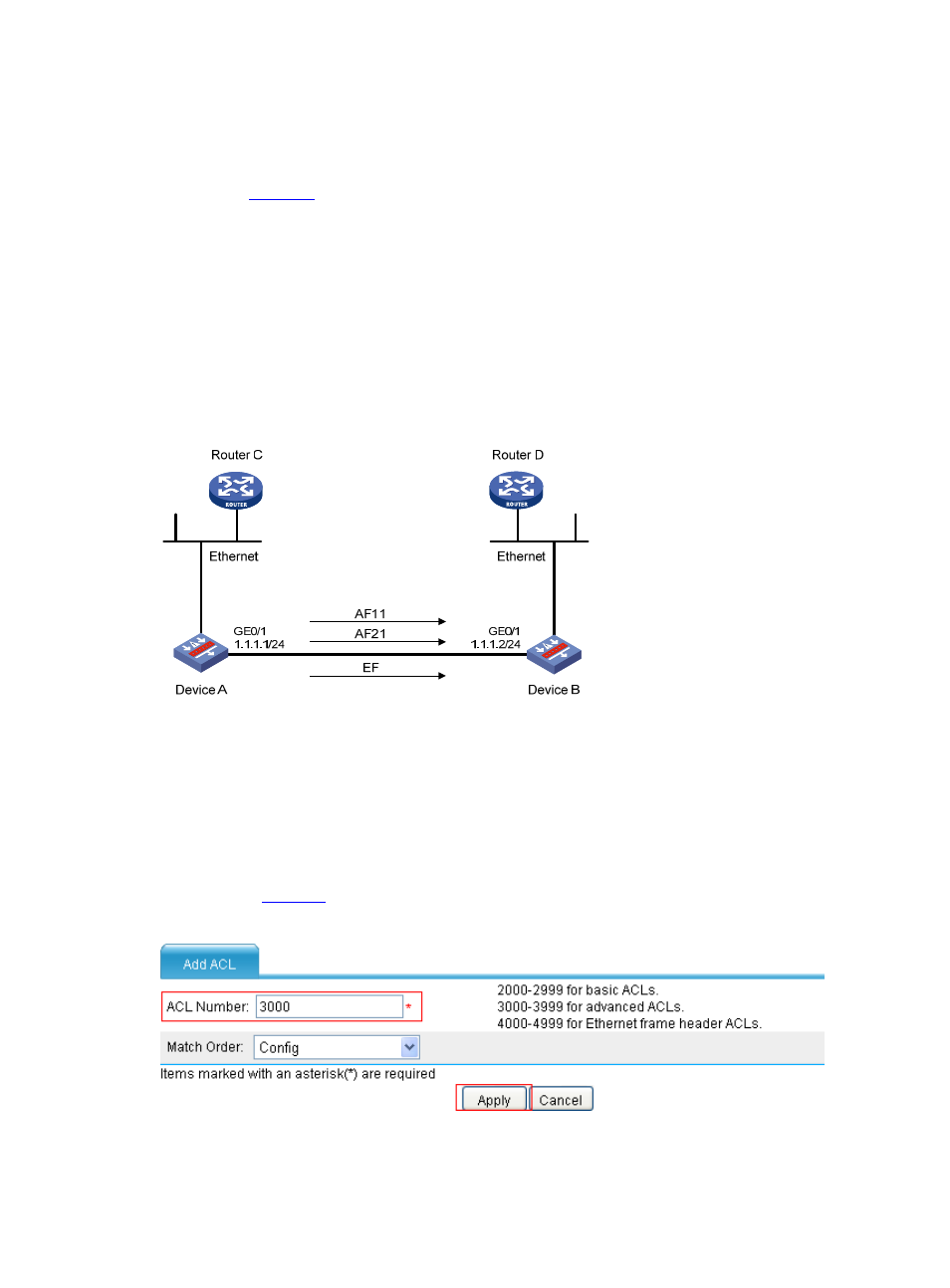
As shown in
, traffic travels from Router C to Router D through Device A and Device D. Traffic
from Router C is classified into three classes based on DSCP. Configure a QoS policy to:
•
Perform AF for traffic with the DSCP value being AF11 or AF21 and set a minimum guaranteed
bandwidth percentage of 5% for the traffic.
•
Perform EF for traffic with the DSCP value being EF and set the maximum bandwidth percentage for
the traffic to 30%.
Before performing configuration, make sure that:
•
Router C and Router D are reachable to each other across Device A and Device B.
•
The DSCP fields have been set for the traffic before the traffic enters Router A.
Figure 40 Network diagram for CBQ configuration
Configuration procedure
Configure as follows on Device A:
Step1
Configure ACLs
# Create ACL 3000, and configure a rule to match packets with the DSCP value AF11.
•
Select Firewall > ACL from the navigation tree, and click Add. Perform configuration on the page
shown in
.
Figure 41 Create ACL 3000
•
Type 3000 as the ACL number.