H3C Technologies H3C SecPath F1000-E User Manual
Page 438
9
# Set the shared keys to expert. Add a telnet user and set a password for the user. (Omitted).
Step2
Configure the Device
# Configure the IP address of each interface and add them to security zones. (Omitted)
# Create a HWTACACS scheme system.
•
From the navigation tree, select User > HWTACACS > Server Configuration.
•
On the page as shown in
, click Add in the right pane.
Figure 6 Create a HWTACACS scheme
# Configure the HWTACACS authentication server.
•
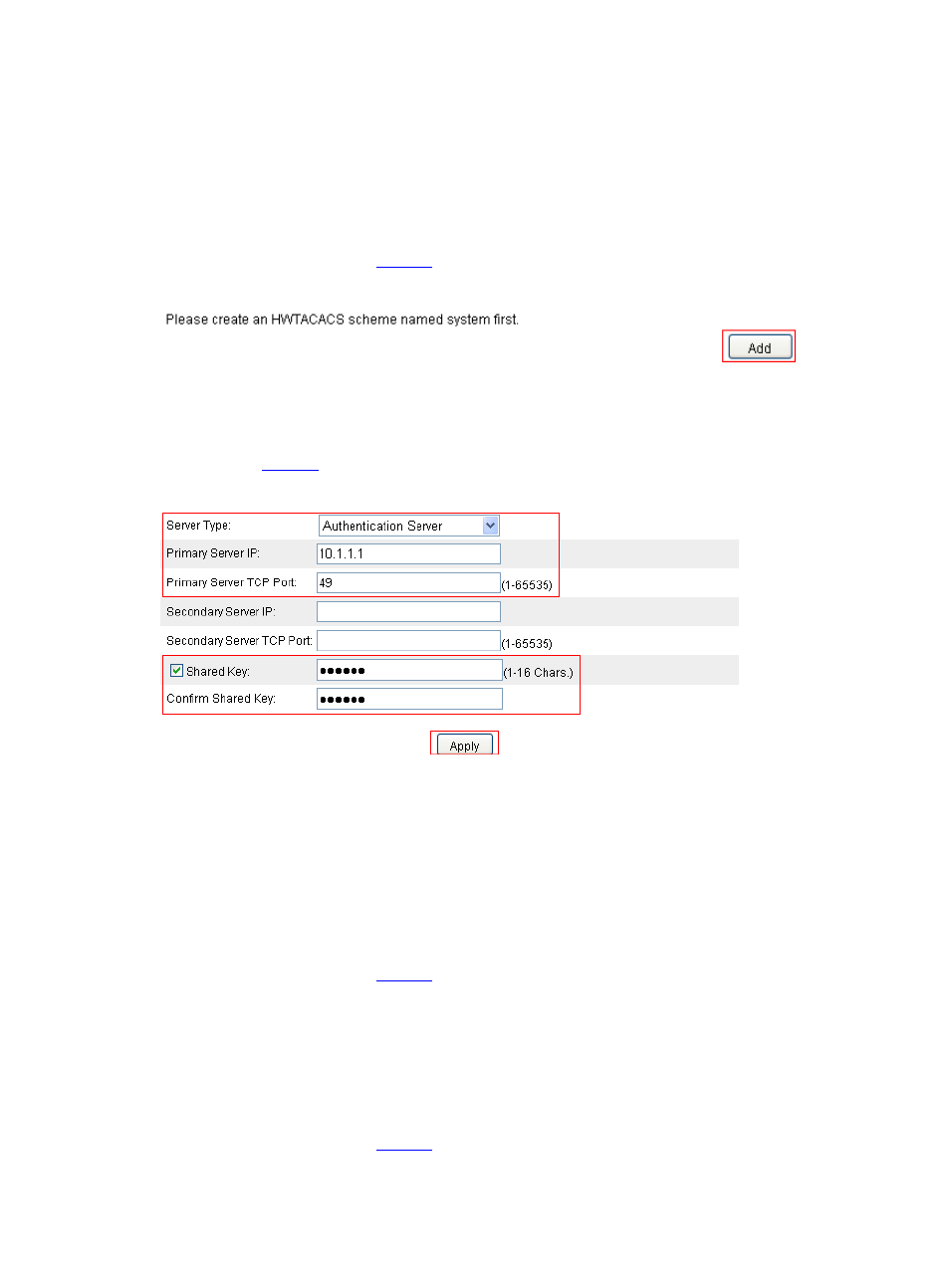
After creating the HWTACACS scheme, the HWTACACS server configuration page appears, as
shown in
.
Figure 7 Configure the HWTACACS authentication server
•
Select Authentication Server as the server type.
•
Type 10.1.1.1 as the IP address of the primary server.
•
Type 49 as the TCP port of the primary server.
•
Select the Shared Key check box, type expert as the shared key, and then confirm it.
•
Click Apply.
# Configure the HWTACACS authorization server as follows.
•
On the page as shown in
, select Authorization Server as the server type.
•
Type 10.1.1.1 as the IP address of the primary server.
•
Type 49 as the TCP port of the primary server.
•
Select the Shared Key check box, type expert as the shared key, and then confirm it.
•
Click Apply.
# Configure the HWTACACS accounting server as follows.
•
On the page as shown in
, select Accounting Server as the server type.
•
Type 10.1.1.1 as the IP address of the primary server.