Configuring an ip address group resource – H3C Technologies H3C SecPath F1000-E User Manual
Page 170
5
Item Description
Exclude IP Address
Specify the IP addresses to be excluded.
•
Type an IP address in the text box next to the Add button, and then click Add to
add it to the excluded IP address list.
•
Select one or more IP addresses in the excluded IP address list, and then click
Remove to remove them from the list.
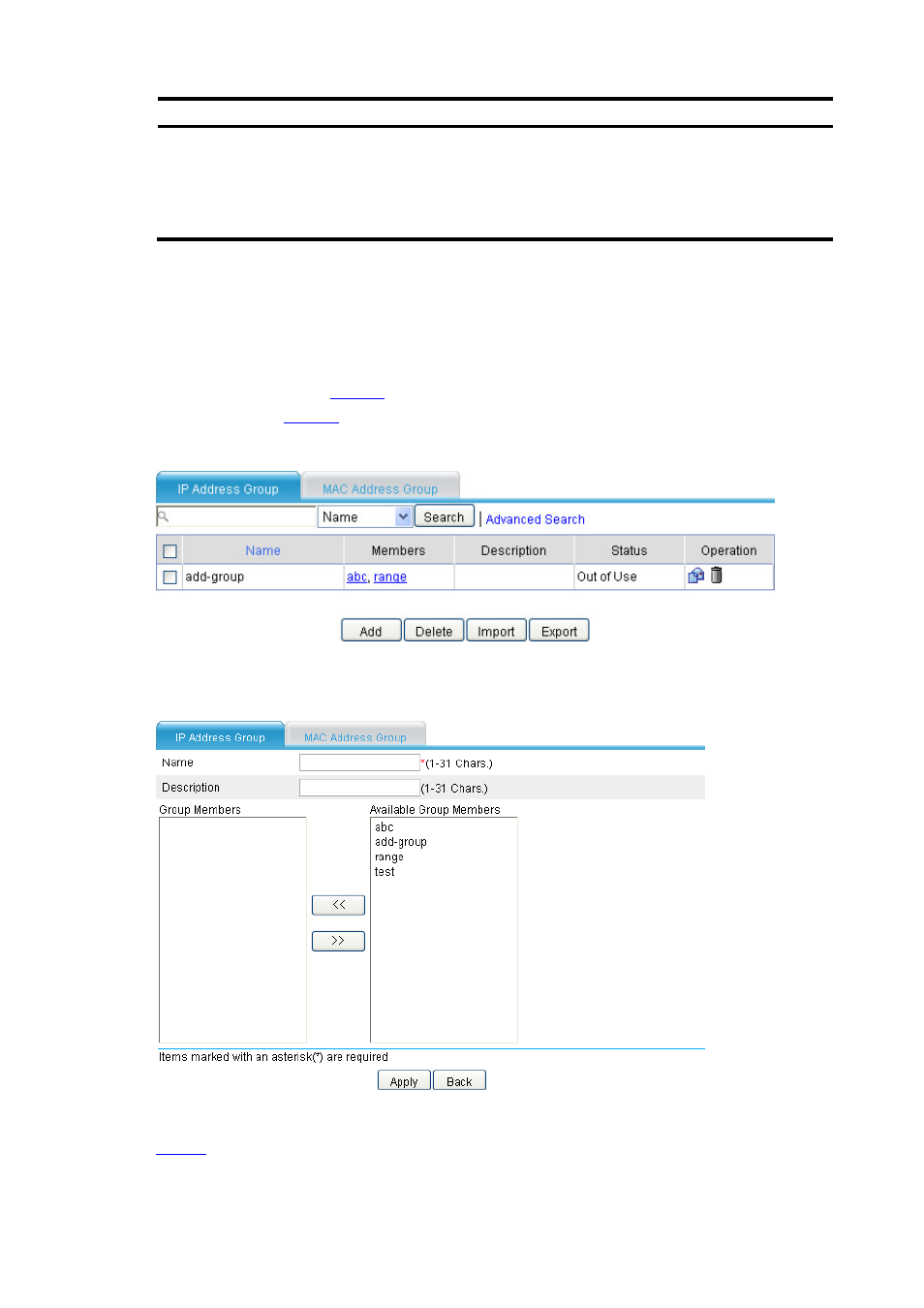
Configuring an IP Address Group Resource
Select Resource > Address > Address Group from the navigation tree to enter the IP address group
display page, as shown in
. Then, click Add to enter the IP address group resource configuration
page, as shown in
.
Figure 7 IP address group resource list
Figure 8 IP address group resource configuration page
describes the configuration items for configuring an IP address group resource.
Table 4 Address group resource configuration items