N in, Figure 14 – H3C Technologies H3C SecPath F1000-E User Manual
Page 825
Advertising
17
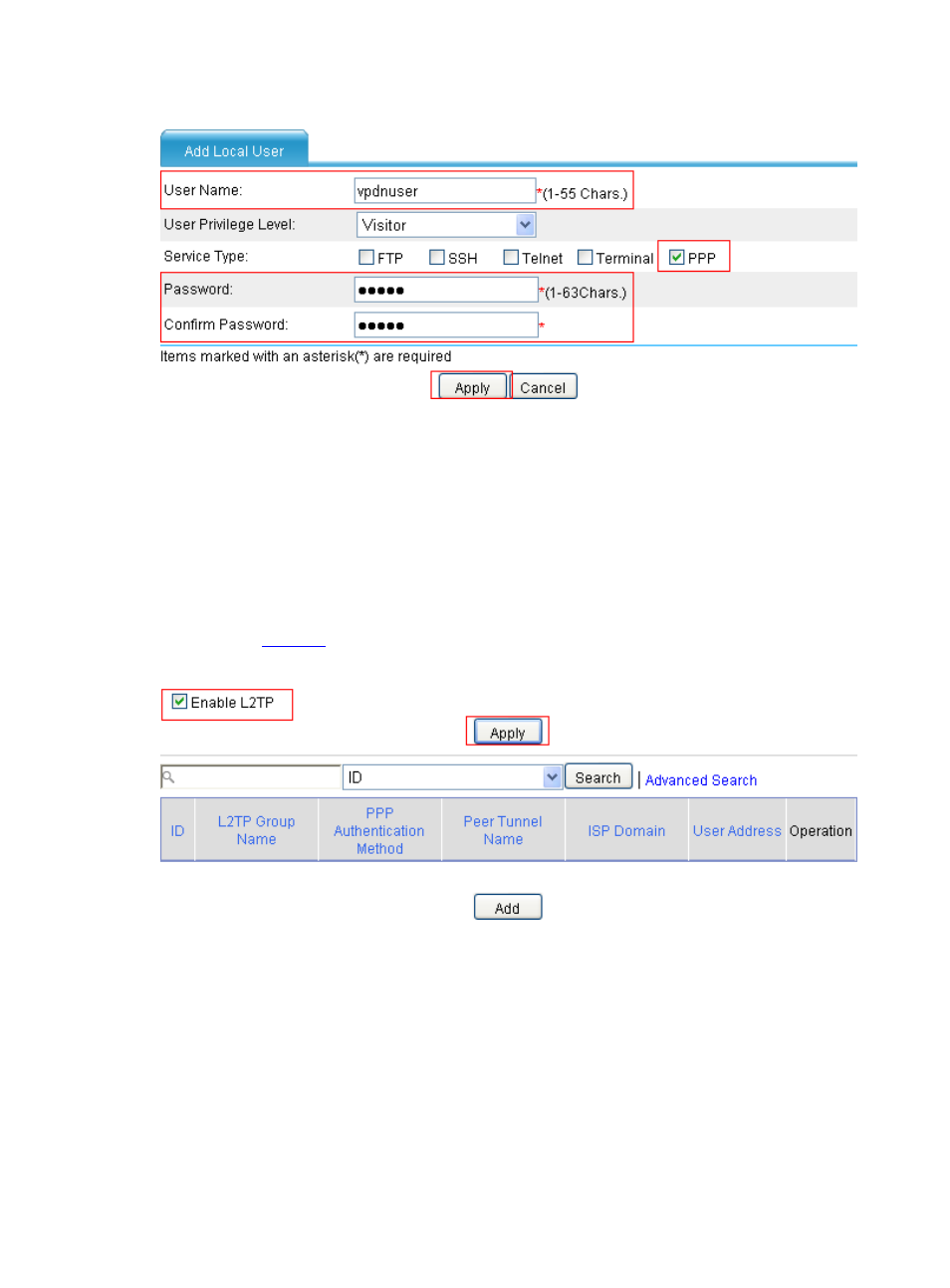
Figure 14 Add a local user
•
Type vpdnuser as the username.
•
Select PPP as the user type.
•
Type password Hello.
•
Type Hello to confirm the password.
•
Click Apply.
# Enable L2TP.
•
Select VPN > L2TP > L2TP Config from the navigation tree. Then, perform the configurations
shown in
.
Figure 15 Enable L2TP
•
Select the check box before Enable L2TP.
•
Click Apply.
# Add an L2TP group
•
On the L2TP configuration page, click Add and then perform the following configurations.
•
Type the L2TP group name test.
•
Type the peer tunnel name vpdnuser.
•
Type the local tunnel name LNS.
•
Select Disable for Tunnel Authentication.
Advertising
This manual is related to the following products: