Content filtering configuration example, Network requirements, N in – H3C Technologies H3C SecPath F1000-E User Manual
Page 687: Figure 21
Advertising
17
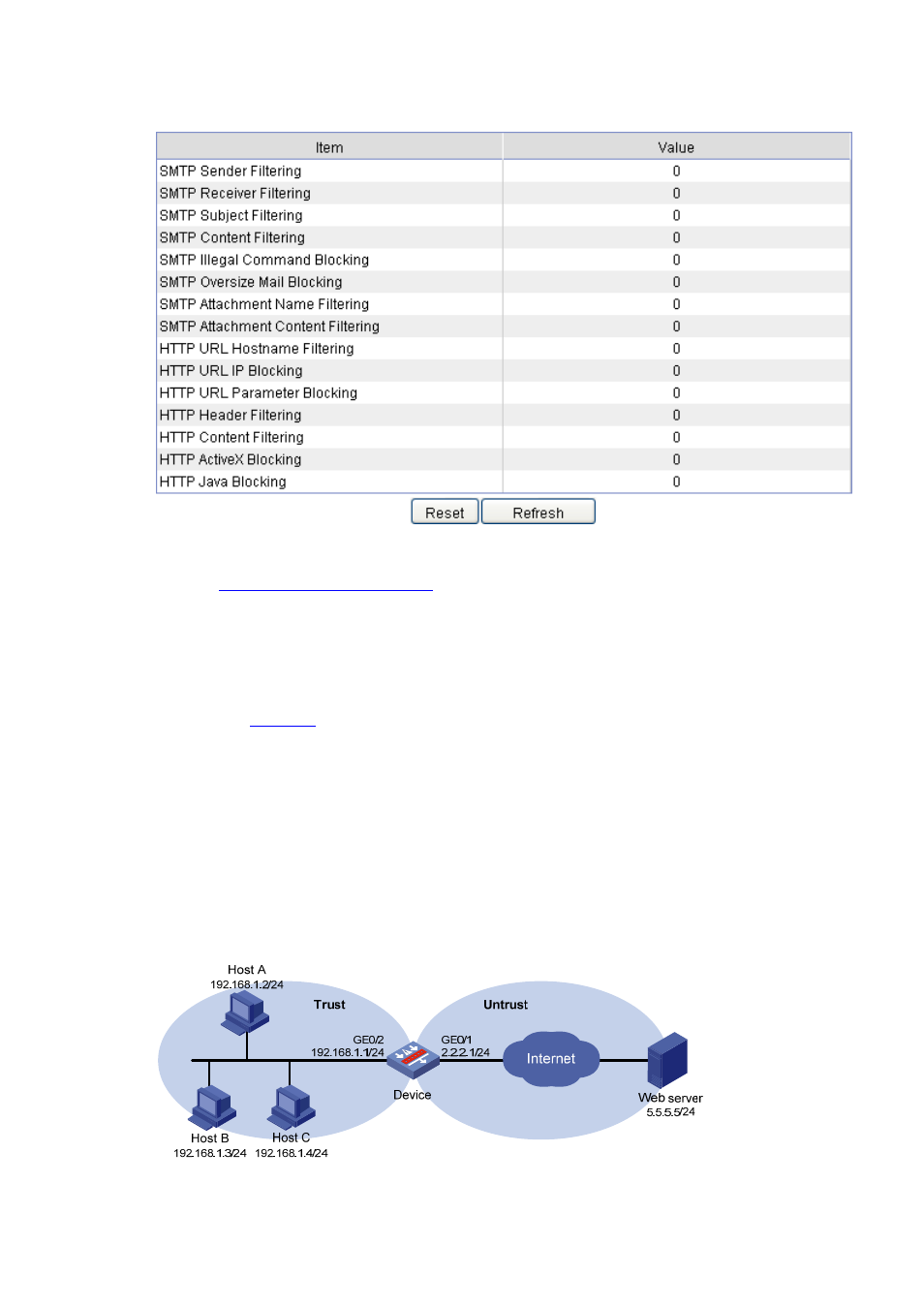
Figure 21 Statistic information
Display content filtering statistics
.
Content Filtering Configuration Example
Network requirements
As shown in
, hosts in LAN segment 192.168.1.0/24 access the Internet through Device.
Security zones Trust and Untrust are configured on Device for the LAN and the Internet respectively.
On Device:
•
Enable body filtering to block HTTP responses that carry keyword sex.
•
Enable Java applet blocking to block Java applet requests to all websites except the one with IP
address 5.5.5.5.
•
Enable attachment name filtering to block all emails that carry .exe attachments.
Figure 22 Network diagram for content filtering configuration
Advertising
This manual is related to the following products: