H3C Technologies H3C SecPath F1000-E User Manual
Page 805
Advertising
31
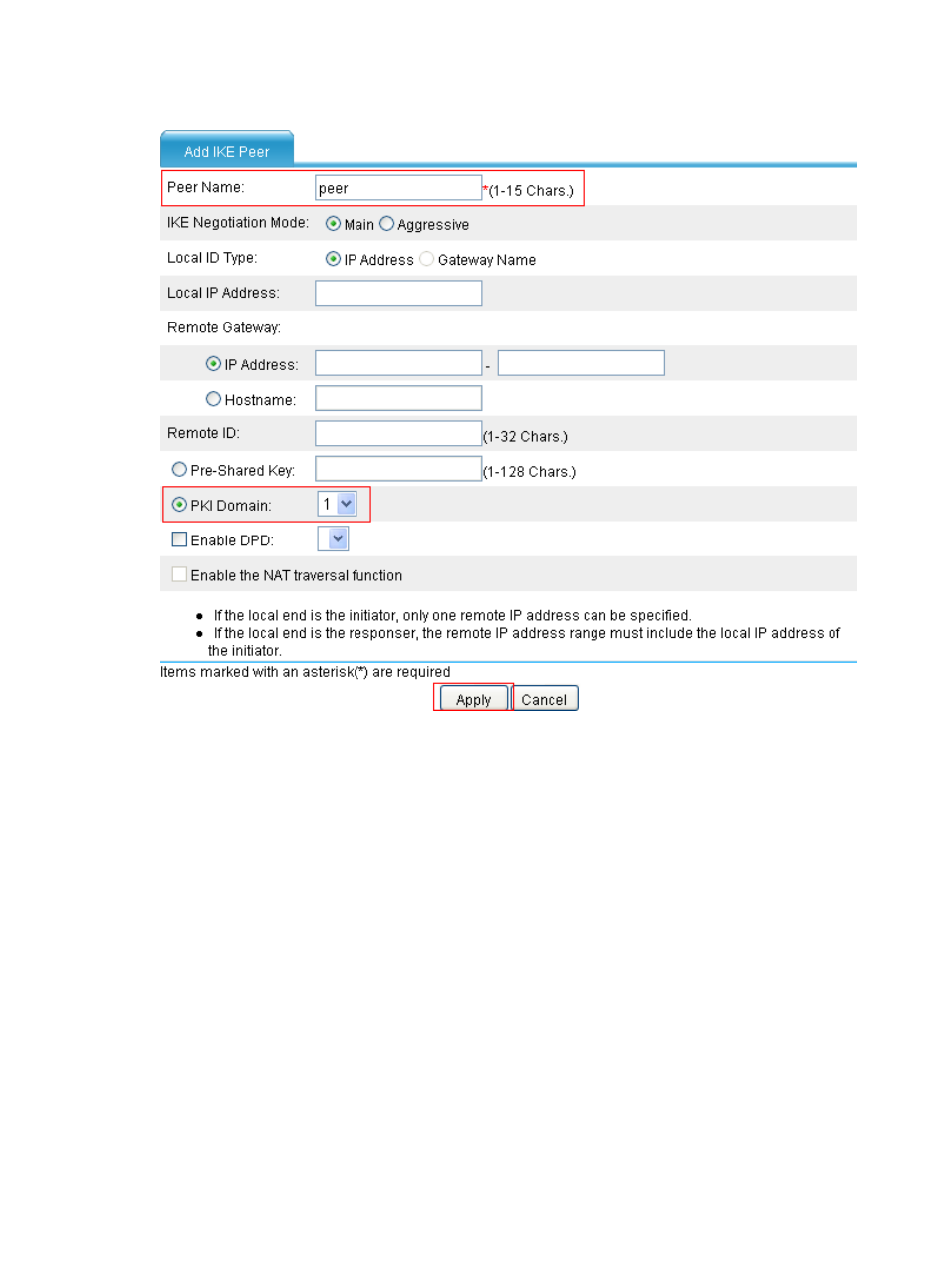
Figure 37 Add an IKE peer
•
Type peer as the peer name.
•
Select PKI Domain and then select the PKI domain of 1.
•
Click Apply.
Step2
Configure Device B (The configuration pages for Device B are similar to those of Device A, and thus
omitted)
# Create a PKI entity.
•
Select VPN > PKI > Entity from the navigation tree and then click Add.
•
Type en as the PKI entity name.
•
Type device-b as the common name.
•
Type 3.3.3.1 as the IP address of the entity.
•
Click Apply.
# Create a PKI domain.
•
Select VPN > PKI > Domain from the navigation tree and then click Add.
•
Type 1 as the PKI domain name.
•
Type CA2 as the CA identifier.
•
Select en as the local entity.
Advertising
This manual is related to the following products: