H3C Technologies H3C SecPath F1000-E User Manual
Page 472
Advertising
9
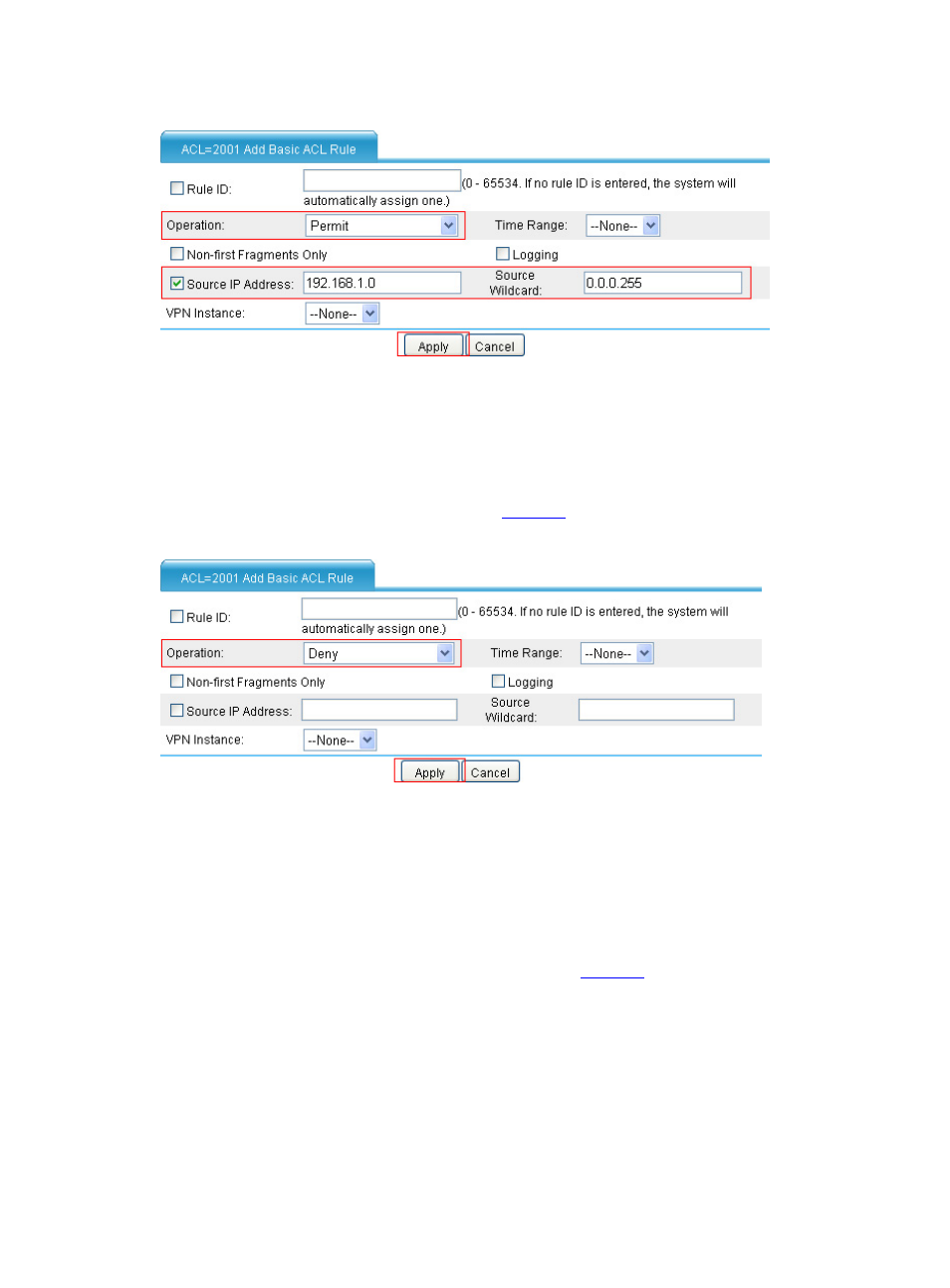
Figure 13 Configure an ACL rule to permit packets sourced from 192.168.1.0/24
•
Select Permit as the operation.
•
Select the Source IP Address check box, type192.168.1.0 as the source IP address, and type
0.0.0.255 as the source wildcard.
•
Click Apply.
•
Click Add. Create an ACL rule as shown in
.
Figure 14 Configure an ACL rule to deny packets
•
Select Deny as the operation.
•
Click Apply.
Step3
Configure dynamic NAT.
# Configure the address pool.
•
Select Firewall > NAT Policy > Dynamic NAT from the navigation tree. In the Address Pool
area, click Add. Add a NAT address pool as shown in
.
Advertising
This manual is related to the following products: