H3C Technologies H3C SecPath F1000-E User Manual
Page 439
10
•
Type 49 as the TCP port of the primary server.
•
Select the Shared Key check box, type expert as the shared key, and then confirm it.
•
Click Apply.
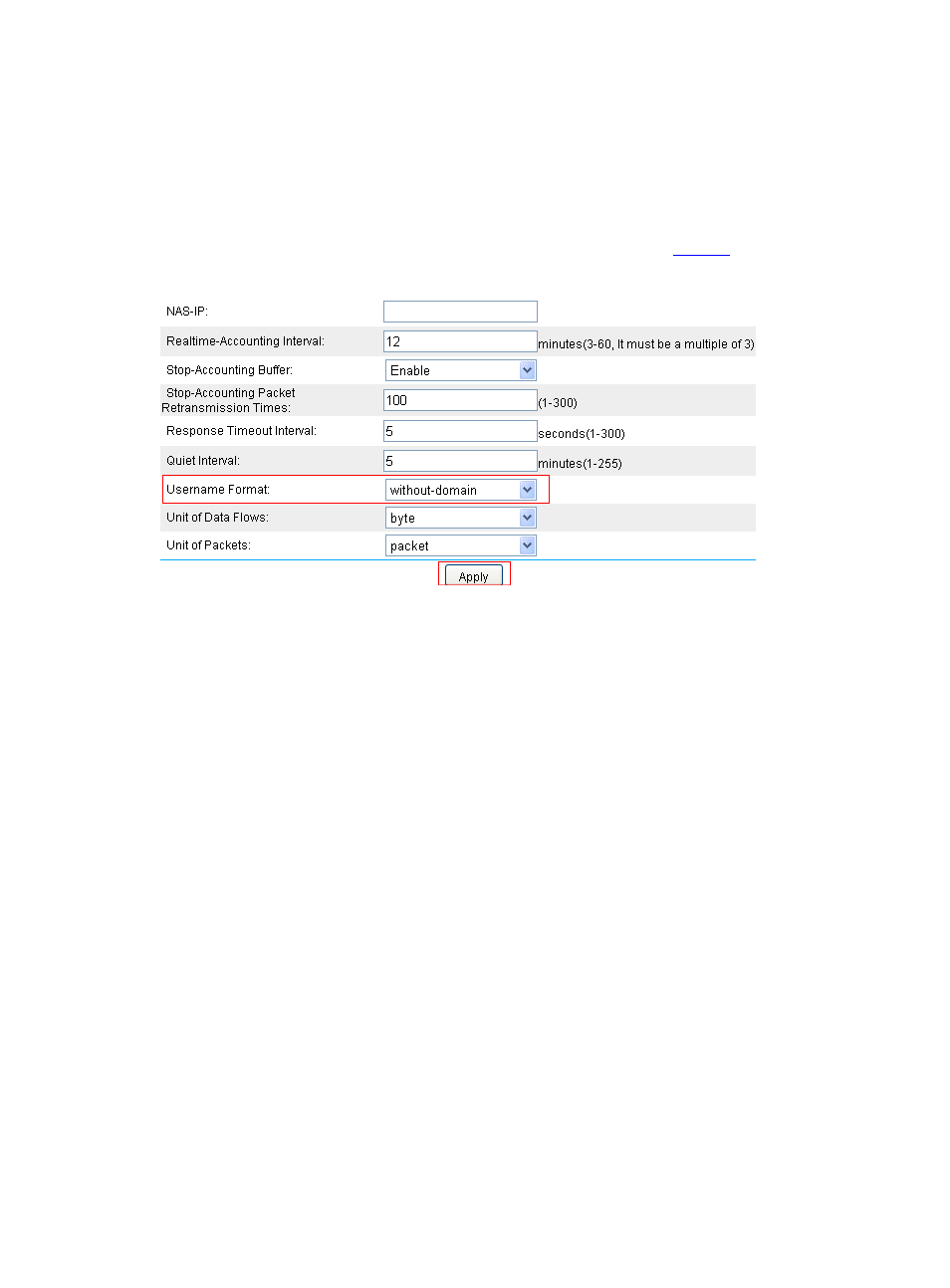
# Configure the parameters for communication between Device and the HWTACACS server as follows.
•
From the navigation tree, select User > HWTACACS > Parameter Configuration to enter the
parameter configuration page. Perform the configuration as shown in
.
Figure 8 Configure the parameters for communication
•
Select without-domain for the username format.
•
Click Apply.
# Through CLI, enable telnet services on the Device.
<Device> system-view
[Device] telnet server enable
# Set to use username and password authentication when users telnet the Device.
[Device] user-interface vty 0 4
[Device-ui-vty0-4] authentication-mode scheme
[Device-ui-vty0-4] quit
# Configure the ISP domain to use the HWTACACS scheme system for AAA.
[Device] domain bbb
[Device-isp-bbb] authentication login hwtacacs-scheme system
[Device-isp-bbb] authorization login hwtacacs-scheme system
[Device-isp-bbb] accounting login hwtacacs-scheme system
[Device-isp-bbb] quit
# Or configure the ISP domain to use HWTACACS scheme system as the default authentication,
authorization, and accounting schemes for all types of users.
[Device] domain bbb
[Device-isp-bbb] authentication default hwtacacs-scheme system
[Device-isp-bbb] authorization default hwtacacs-scheme system
[Device-isp-bbb] accounting default hwtacacs-scheme system