H3C Technologies H3C SecPath F1000-E User Manual
Page 844
15
•
Select Preemptive from the Preempt Mode text box.
•
Type 5 in the Delay text box.
•
Select Simple from the Authentication text box.
•
Type hello in the Key text box.
•
Type 5 in the Advertise Time text box.
•
Click Display Track Config.
•
Select GigabitEthernet0/2 from the Interface text box, type 30 in the Reduced Priority
text box, and then click Add to add the interface to the list box of tracked interface.
•
Click Apply.
Step2
Configure Device B
# Configure the IP address of each interface and the zones. The detailed configuration is omitted here.
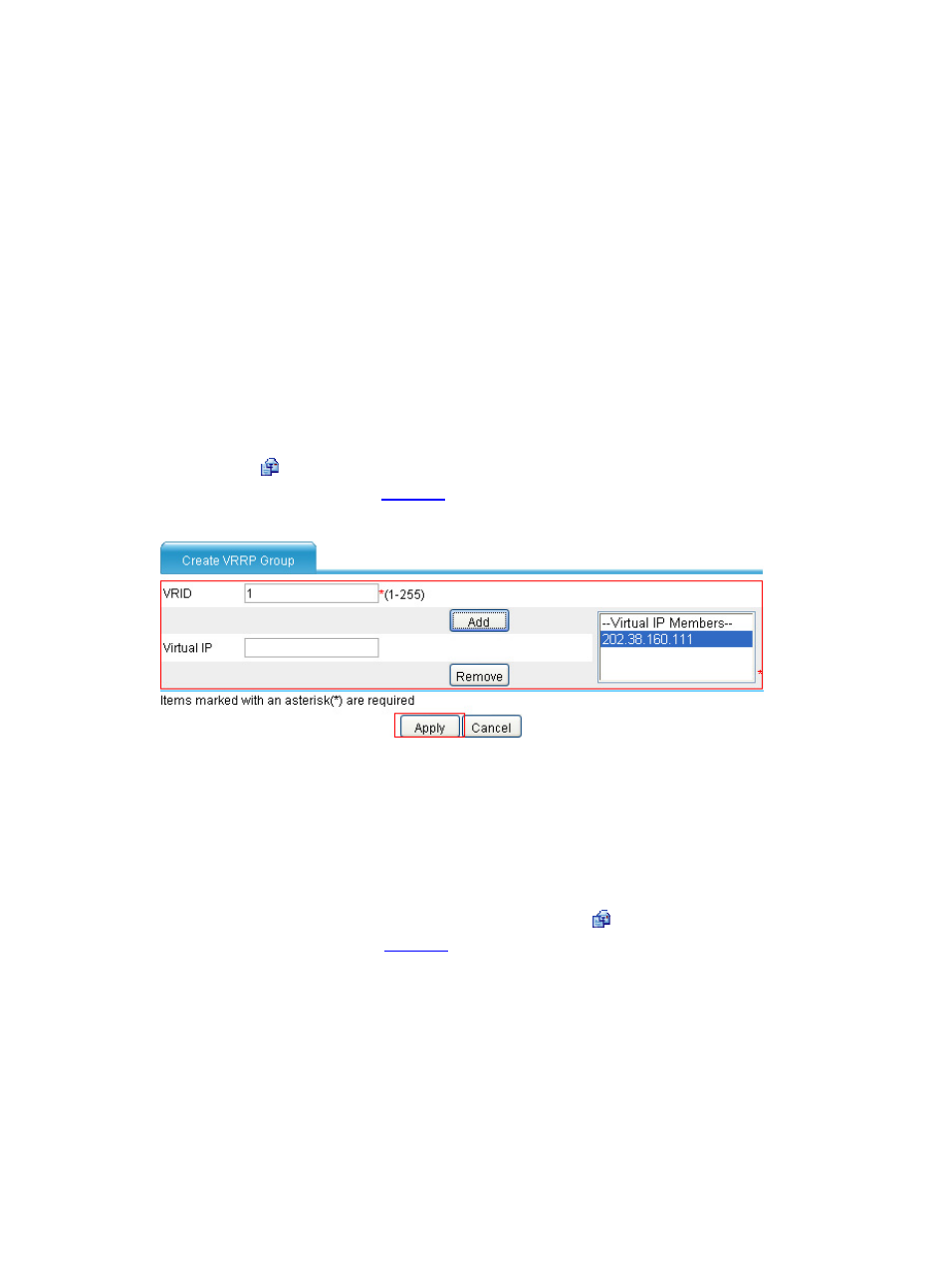
# Create VRRP group 1 on GigabitEthernet 0/1 and configure the virtual IP address as 202.38.160.111.
•
Select High Availability > VRRP from the navigation tree to enter the VRRP interfaces page.
Click the icon corresponding to GigabitEthernet 0/1 to enter the VRRP Configuration on
Interface page shown in
.
Figure 13 Create VRRP group 1
•
Type 1 in the VRID text box.
•
Type 202.38.160.111 in the Virtual IP text box and click Add to add the virtual IP address to
the Virtual IP Members text box.
•
Click Apply.
# Configure VRRP group attributes.
•
On the VRRP group page of GigabitEthernet 0/1, click the icon corresponding to VRRP group 1
.