Configuration procedure – H3C Technologies H3C SecPath F1000-E User Manual
Page 460
Advertising
19
Configuration procedure
# Configure the FTP server.
•
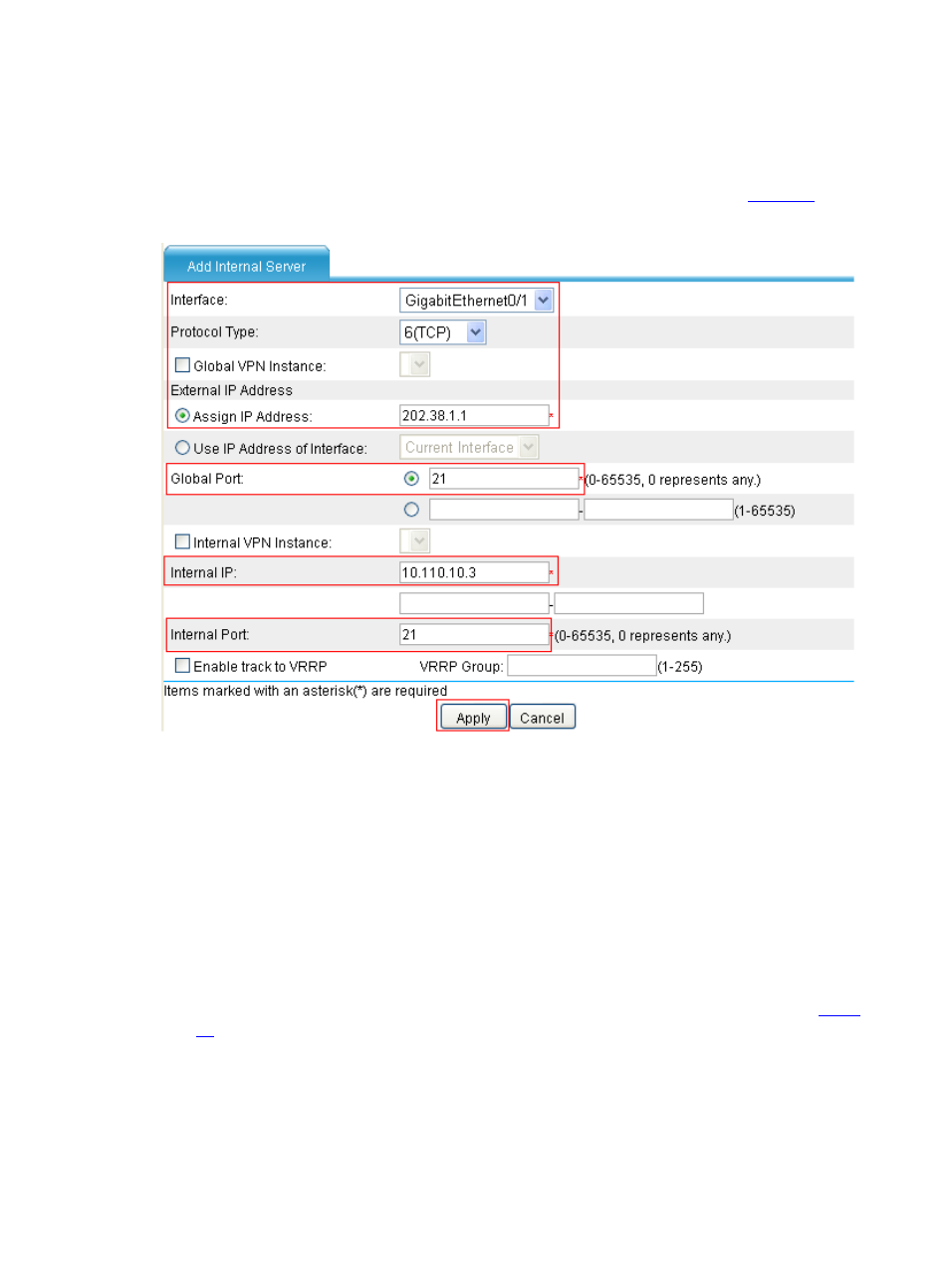
Select Firewall > NAT Policy > Internal Server from the navigation tree, click Add in the
Internal Server field, and then perform the following operations, as shown in
.
Figure 20 Configure an internal FTP server
•
Select GigabitEthernet0/1 for Interface.
•
Select 6(TCP) for Protocol Type.
•
Click the radio button next to Assign IP Address, and then type 202.38.1.1 in Global IP.
•
Select the upper radio button next to Global Port and type 21.
•
Type 10.110.10.3 in Internal IP.
•
Type 21 in Internal Port.
•
Click Apply.
# Configure the Web server 1.
•
Click Add in the Internal Server field and perform the following operations, as shown in
.
Advertising
This manual is related to the following products: