H3C Technologies H3C SecPath F1000-E User Manual
Page 425
17
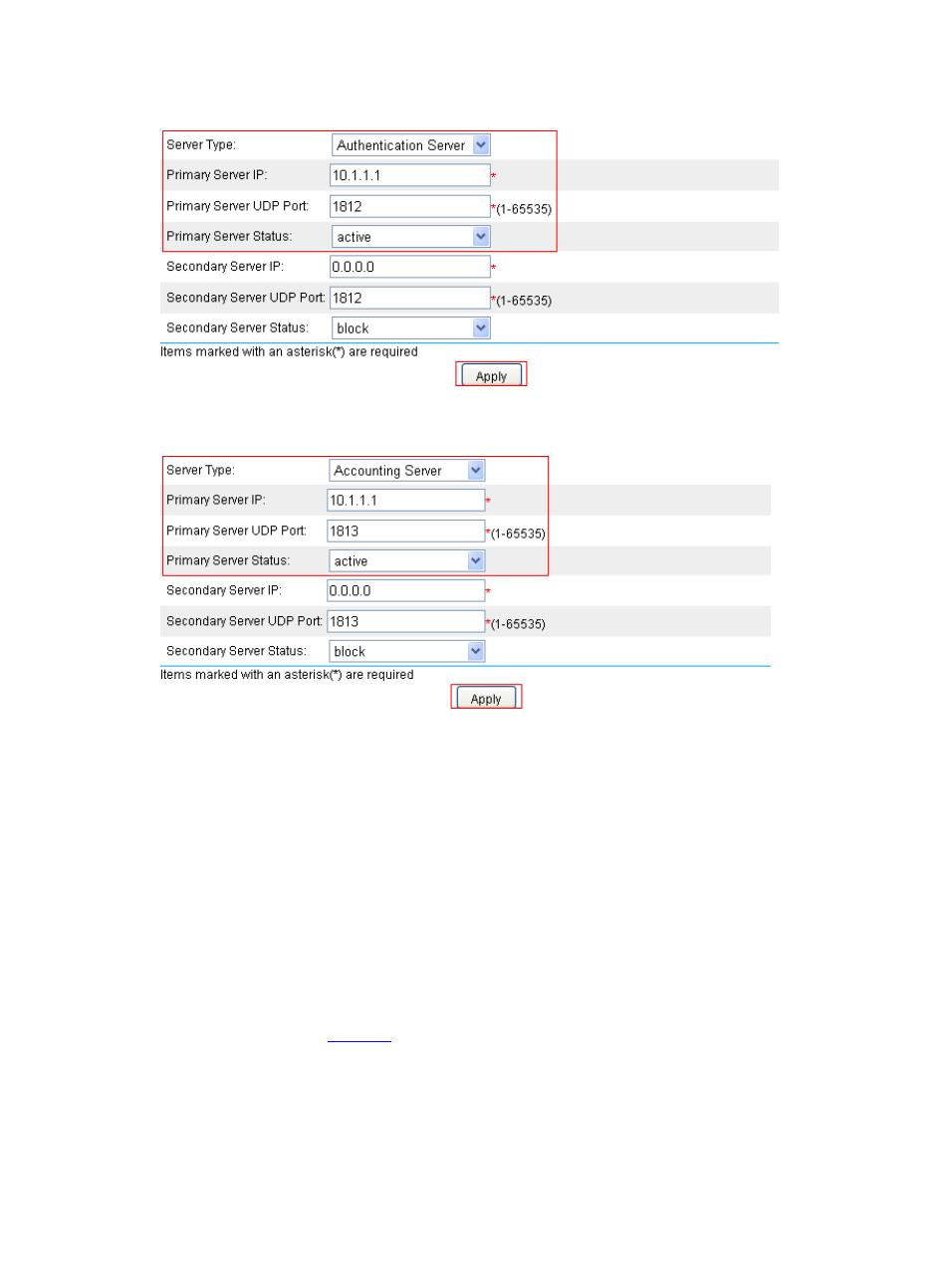
Figure 12 Configure the RADIUS authentication server
Figure 13 Configure the RADIUS accounting server
•
Select Authentication Server as the server type.
•
Enter 10.1.1.1 as the IP address of the primary server, and 1812 as the UDP port.
•
Select active as the primary server status.
•
Click Apply to finish the configuration.
•
Select Accounting Server as the server type.
•
Enter 10.1.1.1 as the IP address of the primary server, and 1813 as the UDP port.
•
Select active as the primary server status.
•
Click Apply to finish the configuration.
# Configure the parameters for communication between the device and the RADIUS server:
From the navigation tree, select User > RADIUS > Parameter Configuration. Perform the
configurations shown in
: