Configuration guidelines – H3C Technologies H3C SecPath F1000-E User Manual
Page 650
8
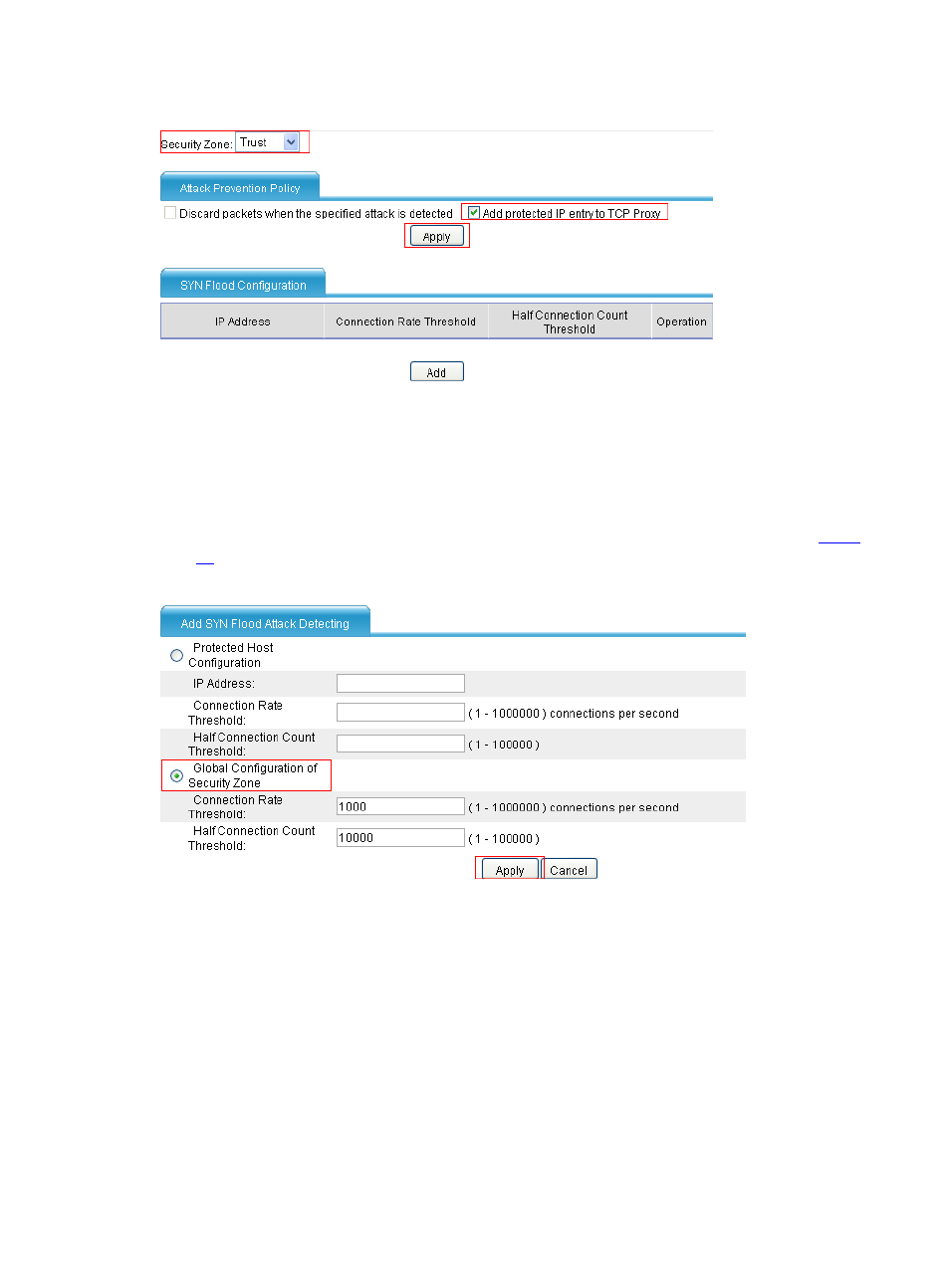
Figure 11 Configure the action to be taken upon SYN flood detection
•
Select Trust from the Security Zone drop-down list.
•
Select the Add protected IP entry to TCP Proxy check box in the Attack Prevention
Policy area.
•
Click Apply.
•
In the SYN Flood Configuration area, click Add. Configure global settings as shown in
.
Figure 12 Configure global settings
•
Select Global Configuration of Security Zone.
•
Use the default values for the connection rate threshold and half connection count threshold.
•
Click Apply.
Configuration Guidelines
Follow these guidelines when configuring TCP proxy:
1.
TCP proxy is effective only for incoming traffic of the security zone.
2.
The performance of the Web-based management system may be degraded if the system’s IP
address and port number are in the protected IP entry list.