Configuration procedure, Figure 11 – H3C Technologies H3C SecPath F1000-E User Manual
Page 602
10
Figure 11 Network diagram for interzone policy configuration
Configuration procedure
Step1
Method 1: Configure an interzone policy rule
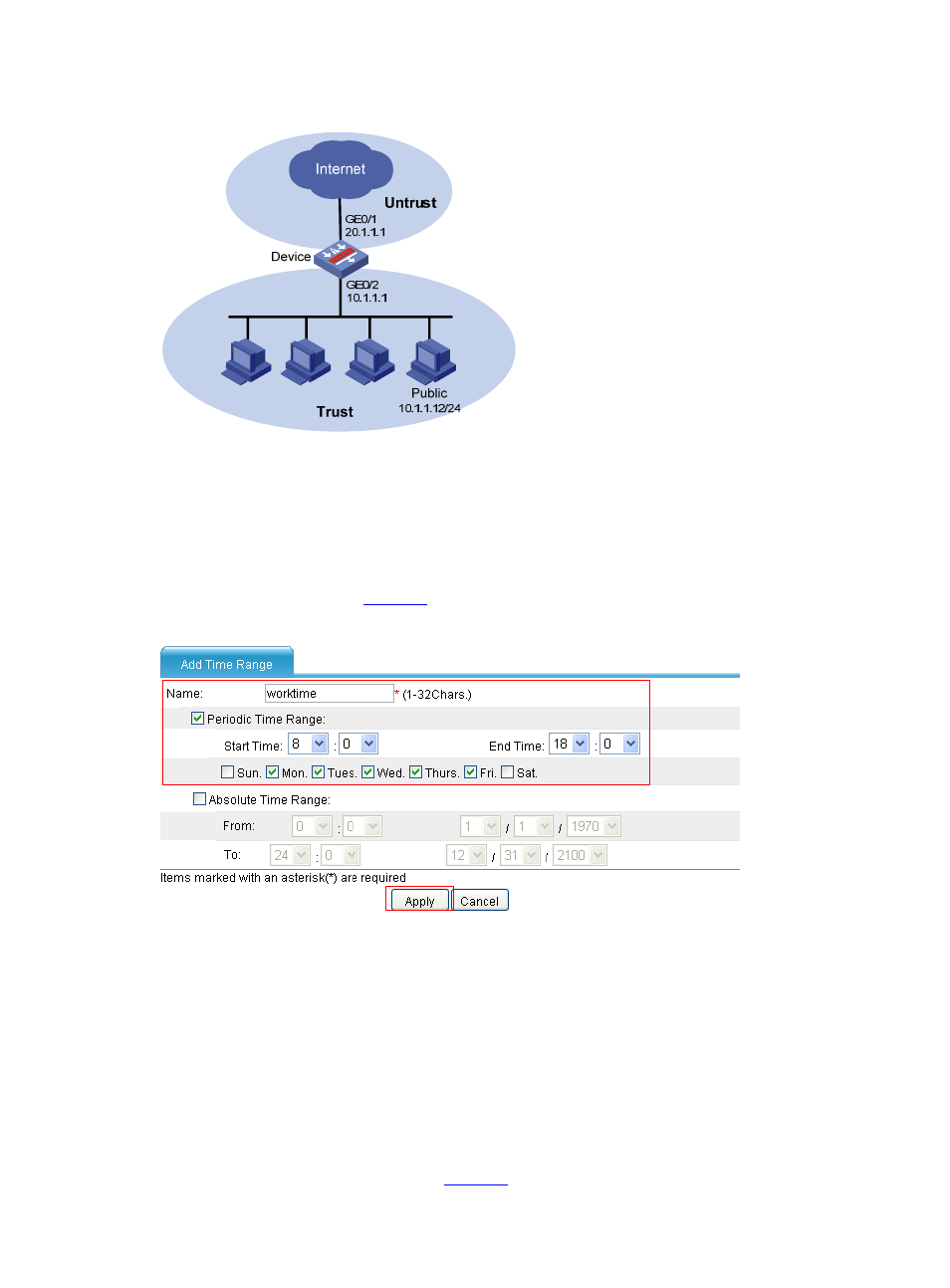
# Create a periodic time range from 8:00 to 18:00 on working days (from Monday through Friday).
•
Select Resource > Time Range from the navigation tree, and then click Add. Perform the
configurations shown in
.
Figure 12 Configure a time range
•
Type worktime in the Name text box.
•
Select the Periodic Time Range check box.
•
Set the start time to 8:00.
•
Set the end time to 18:00.
•
Select the Mon., Tues., Wed., Thurs., and Fri., check boxes.
•
Click Apply.
# Create an IP address resource.
•
Select Resource > Address > IP Address from the navigation tree, and then click Add.
Perform the configurations shown in
.