Network requirements, Configuration procedure, Configuration guidelines – H3C Technologies H3C SecPath F1000-E User Manual
Page 225
3
•
Select GigabitEthernet0/2 from the Port 2 drop-down list.
•
Click Apply.
Blackhole-Type Inline Forwarding Configuration Example
Network requirements
Packets coming from GigabitEthernet 0/1 must be discarded. In this case, you can configure
blackhole-type inline forwarding on Ethernet 0/1.
Configuration procedure
NOTE:
Before configuration, make sure the GigabitEthernet 0/1 work in bridge mode and it is added to a zone.
# Create a blackhole-type inline forwarding policy.
•
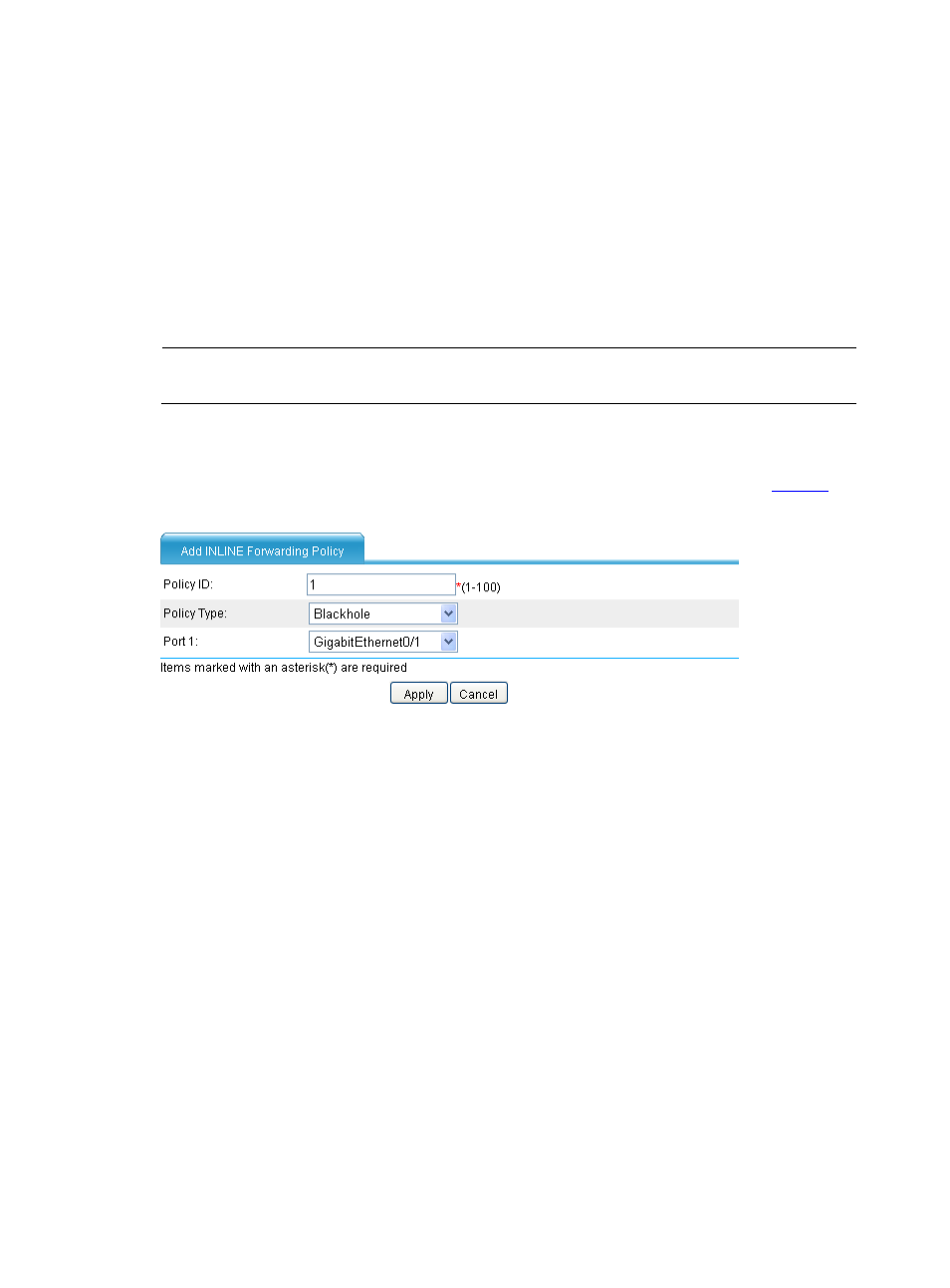
Select Network > Forwarding in the navigation tree. On the page, click Add to enter the
page for adding an inline forwarding policy. Perfrom the configuration as shown in
.
Figure 4 Add a blackhole-type inline forwarding policy
•
Type policy ID 1.
•
Select Blackhole as the policy type.
•
Select GigabitEthernet0/1 from the Port 1 drop-down list.
•
Click Apply.
Configuration Guidelines
When configuring inline forwarding, note that:
1.
Inline forwarding is applicable to Layer 2 Ethernet interfaces and subinterfaces.
2.
If you assign a subinterface to an inline forwarding entry, note the following:
•
To make the entry take effect, the interface must be assigned to the VLAN of which the ID is used
as the subinterface number. For example, if the subinterface GigabitEthernet 0/1.2 is assigned to
an inline forwarding entry, the interface GigabitEthernet 0/1 must be assigned to VLAN 2 so that
the inline forwarding can be implemented.
•
If an interface and its subinterface are assigned to different inline forwarding entries, the
forwarding entry with the main interface takes precedence. For example, the interfaces
GigabitEthernet 0/1 and GigabitEthernet 0/2 are assigned to one inline forwarding entry, and
the subinterfaces GigabitEthernet 0/1.2 and GigabitEthernet 0/2.3 are assigned to another