Mac address table configuration example, Network requirements, Configuration procedure – H3C Technologies H3C SecPath F1000-E User Manual
Page 190
5
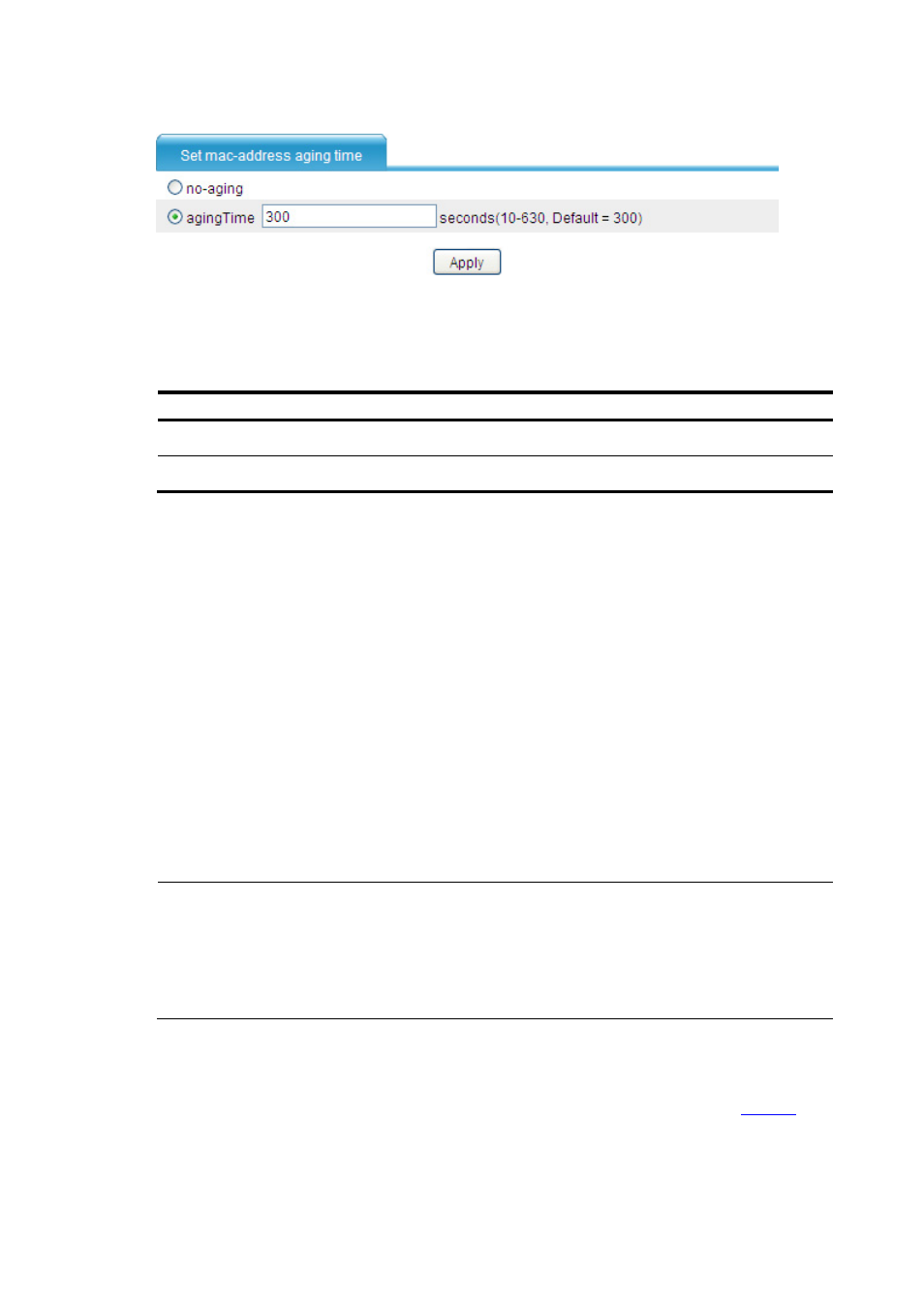
Figure 4 Set the aging time for MAC address entries
The following table shows the detailed configuration items of setting the MAC address entry aging time.
Table 2 Configuration items of setting the aging time for MAC address entries
Item Description
No-aging
MAC address entries will not age out.
Aging time
Type the aging time for MAC address entries
MAC Address Table Configuration Example
Network requirements
•
The MAC address of a host is 000f-e235-dc71 and belongs to VLAN 1. It is connected to
GigabitEthernet 0/1 of the device. To prevent MAC address spoofing, add a static entry into the
MAC address table of the device for the host.
•
The MAC address of another host is 000f-e235-abcd and belongs to VLAN 1. Because this host
once behaved suspiciously on the network, you can add a destination blackhole MAC address
entry for the MAC address to drop all packets destined for the host for security sake.
•
Set the aging timer for dynamic MAC address entries to 500 seconds.
Configuration procedure
NOTE:
Before making the following configurations, check whether GigabitEthernet 0/1 operates in router
mode. If yes, change its operating mode to bridge mode (To do that, select Device Management >
Interface from the navigation tree, and then find and select GigabitEthernet 0/1 to configure it
accordingly); in addition, specify the security zone to which GigabitEthernet 0/1 belongs.
# Create a static MAC address entry.
•
Select Network > MAC > MAC from the navigation tree to enter the MAC address table display
page, click Add, and make the following configurations on the page as shown in
.