H3C Technologies H3C SecPath F1000-E User Manual
Page 914
49
•
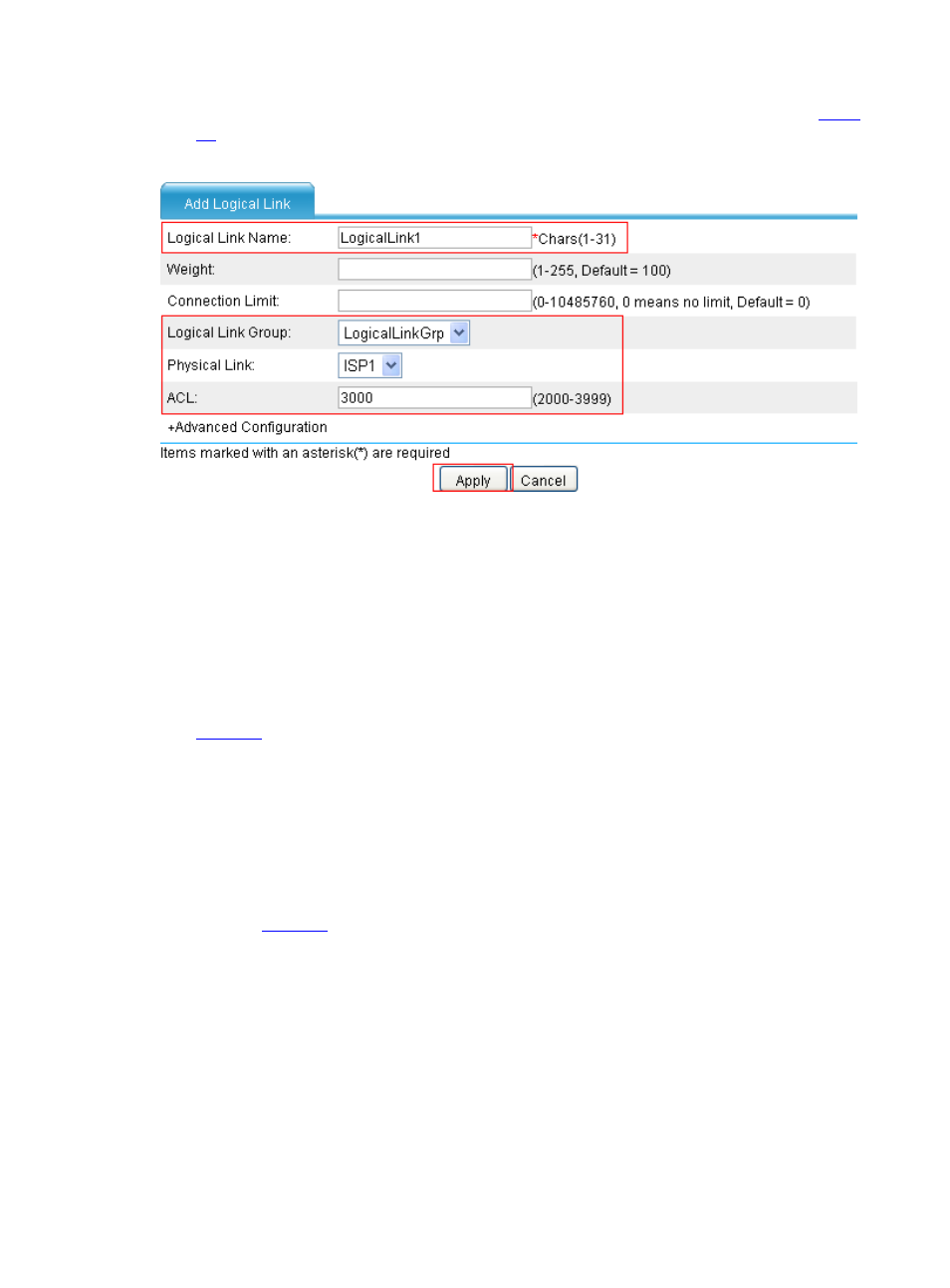
Click Logical Link and then click Add to perform the following configurations, as shown in
.
Figure 54 Create logical link LogicalLink1 corresponding to ISP1
•
Type the logical link name LogicalLink1.
•
Select the logical link group LogicalLinkGrp.
•
Select the physical link ISP1.
•
Type the ACL number 3000.
•
Click Apply.
# Create logical link LogicalLink2 corresponding to ISP2.
•
Click Add on the Logical Link tab page to perform the following configurations, as shown in
.
•
Type the logical link name LogicalLink2.
•
Select the logical link group LogicalLinkGrp.
•
Select the physical link ISP2.
•
Click Apply.
# Configure virtual service vs.
•
Click the Virtual Service tab, and then click Add to perform the following configurations, as
shown in
.