Packet filtering configuration example, Network requirements, Configuration procedure – H3C Technologies H3C SecPath F1000-E User Manual
Page 549
41
•
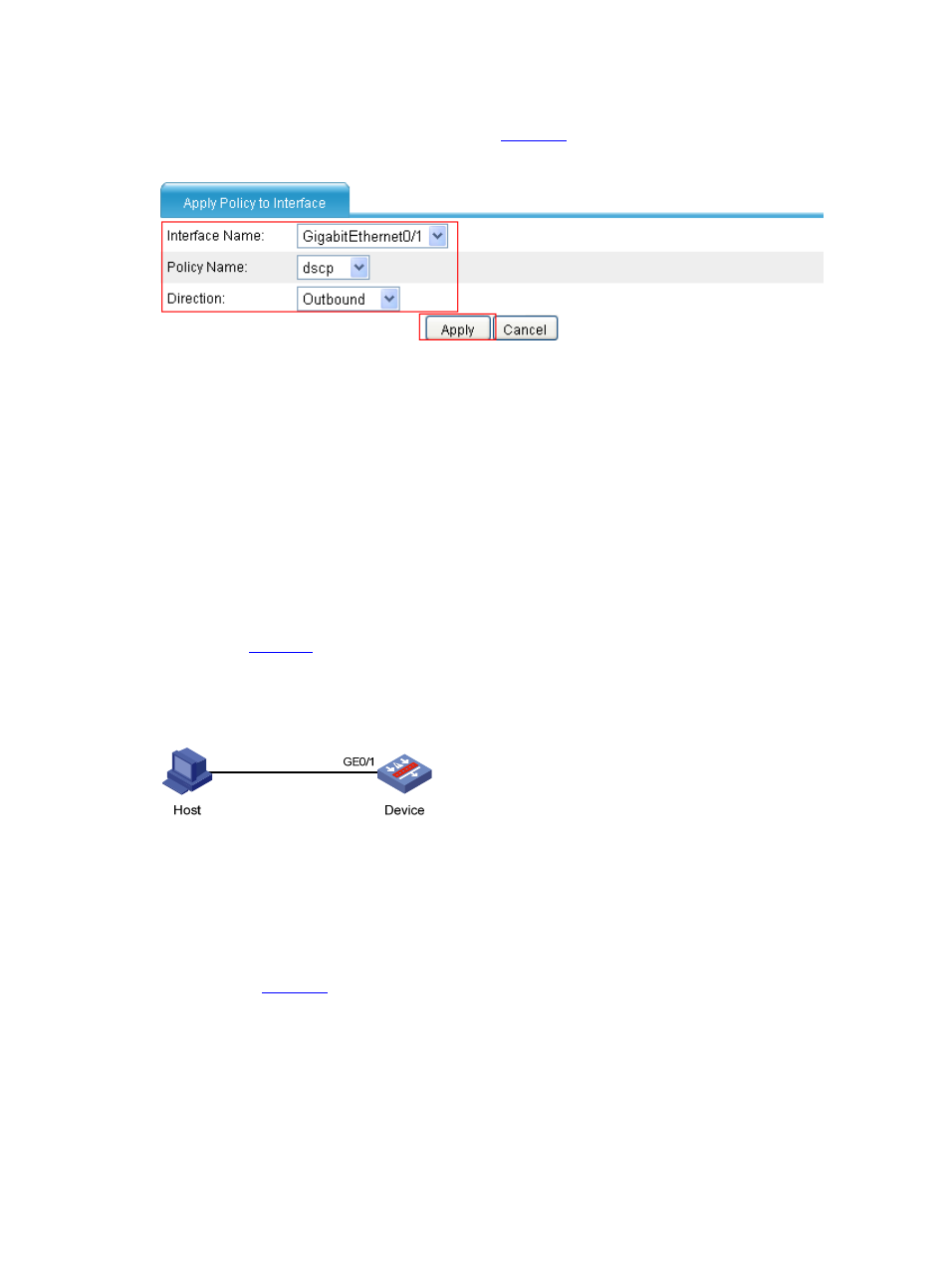
Select Firewall > Traffic Policing > Apply from the navigation tree, and click Apply Policy.
Perform configuration on the page shown in
.
Figure 50 Apply the policy named dscp to the outgoing packets of GigabitEthernet 0/1
•
Select GigabitEthernet 0/1 from the Interface Name drop-down list.
•
Select dscp from the Policy Name drop-down list.
•
Select Outbound from the Direction drop-down list.
•
Click Apply.
After the configuration is completed, you can see EF traffic is preferentially forwarded when congestion
occurs.
Packet Filtering Configuration Example
Network requirements
As shown in
, Host is connected to GigabitEthernet 0/1 of Device.
Configure a QoS policy to filter the incoming packets whose TCP source port is not 21 on
GigabitEthernet 0/1.
Figure 51 Network diagram for packet filtering configuration
Configuration procedure
Step1
Configure ACLs
# Create ACL 3000, and configure a rule to match packets whose TCP source port is not 21.
•
Select Firewall > ACL from the navigation tree, and click Add. Perform configuration on the page
shown in
.