Https configuration example, Network requirements – H3C Technologies H3C SecPath F1000-E User Manual
Page 154
7
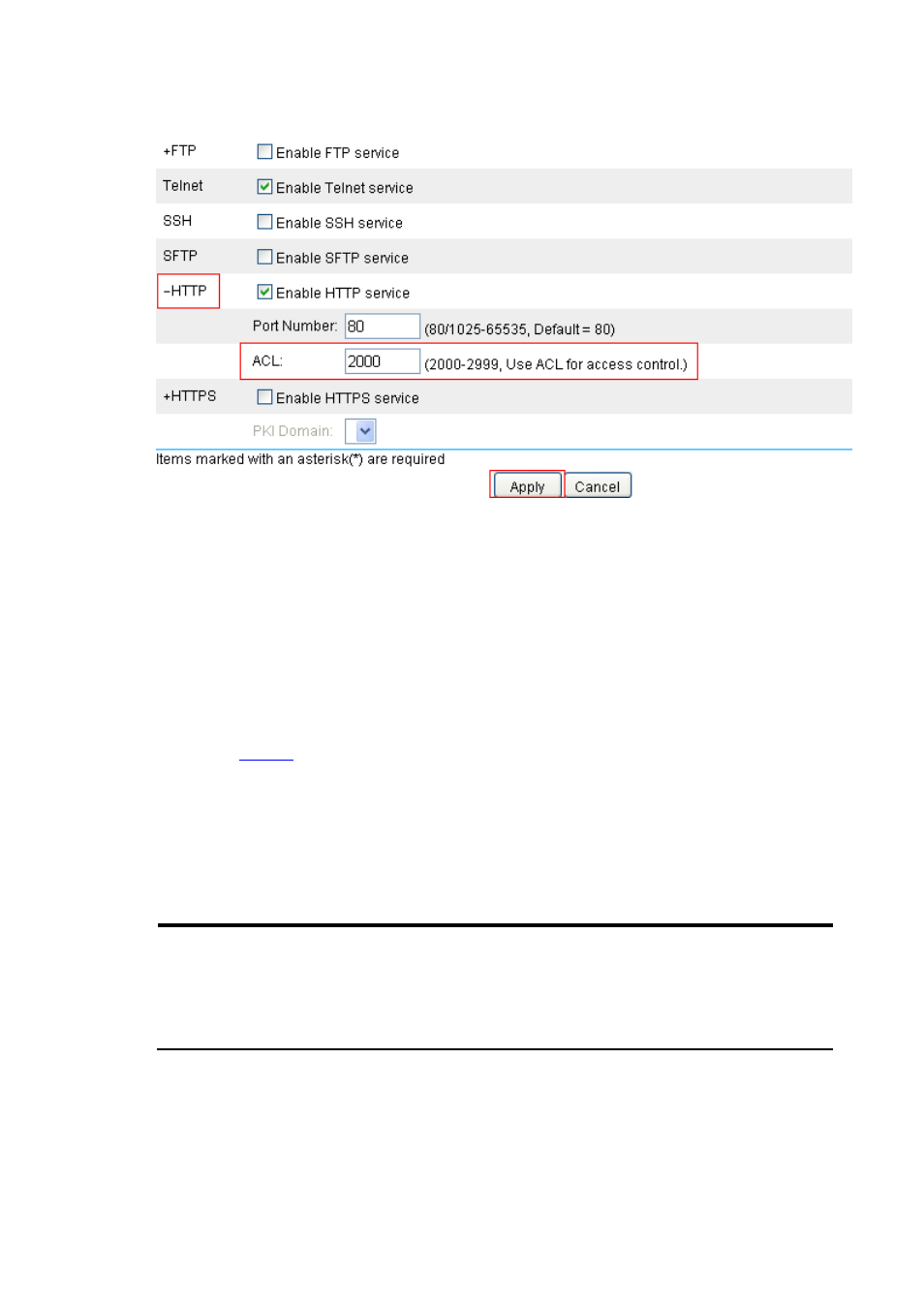
Figure 8 Associate HTTP service with ACL 2000
•
Click the + sign before HTTP to expand the configuration area.
•
Type 2000 in the ACL text box.
•
Click Apply.
HTTPS Configuration Example
Network requirements
As shown in
, Host can access and control Device through Web pages. To avoid malicious users
from accessing and controlling the device, it is required that:
•
Users use HTTPS to access Web pages on the device,
•
SSL is used to authenticate servers, preventing data eavesdropping and data modification.
To meet the requirements, configure Device as an HTTPS server and apply for a certificate for Device. The
name of the certificate authority (CA) that issues certificates to Device and Host is CA server.
NOTE:
•
This example uses a Windows server as the CA that has the Simple Certificate Enrollment
Protocol (SCEP) component installed.
•
Before proceeding with the following configuration, make sure that Device, Host, and CA are
reachable to each other.