H3C Technologies H3C SecPath F1000-E User Manual
Page 909
44
# Create real service ServerB for Server B.
•
Click Add on the Real Service tab page to perform the following configurations, as shown in
.
•
Type the real service name ServerB.
•
Type the IP address of the real service 192.168.1.2.
•
Type the port number 8080.
•
Type the weight 120.
•
Select the real service group HTTPGroup.
•
Click Apply.
# Create real service ServerC for Server C.
•
Click Add on the Real Service tab page to perform the following configurations, as shown in
.
•
Type the real service name ServerC.
•
Type the IP address of the real service 192.168.1.3.
•
Type the port number 8080.
•
Type the weight 100.
•
Select the real service group HTTPGroup.
•
Click Apply.
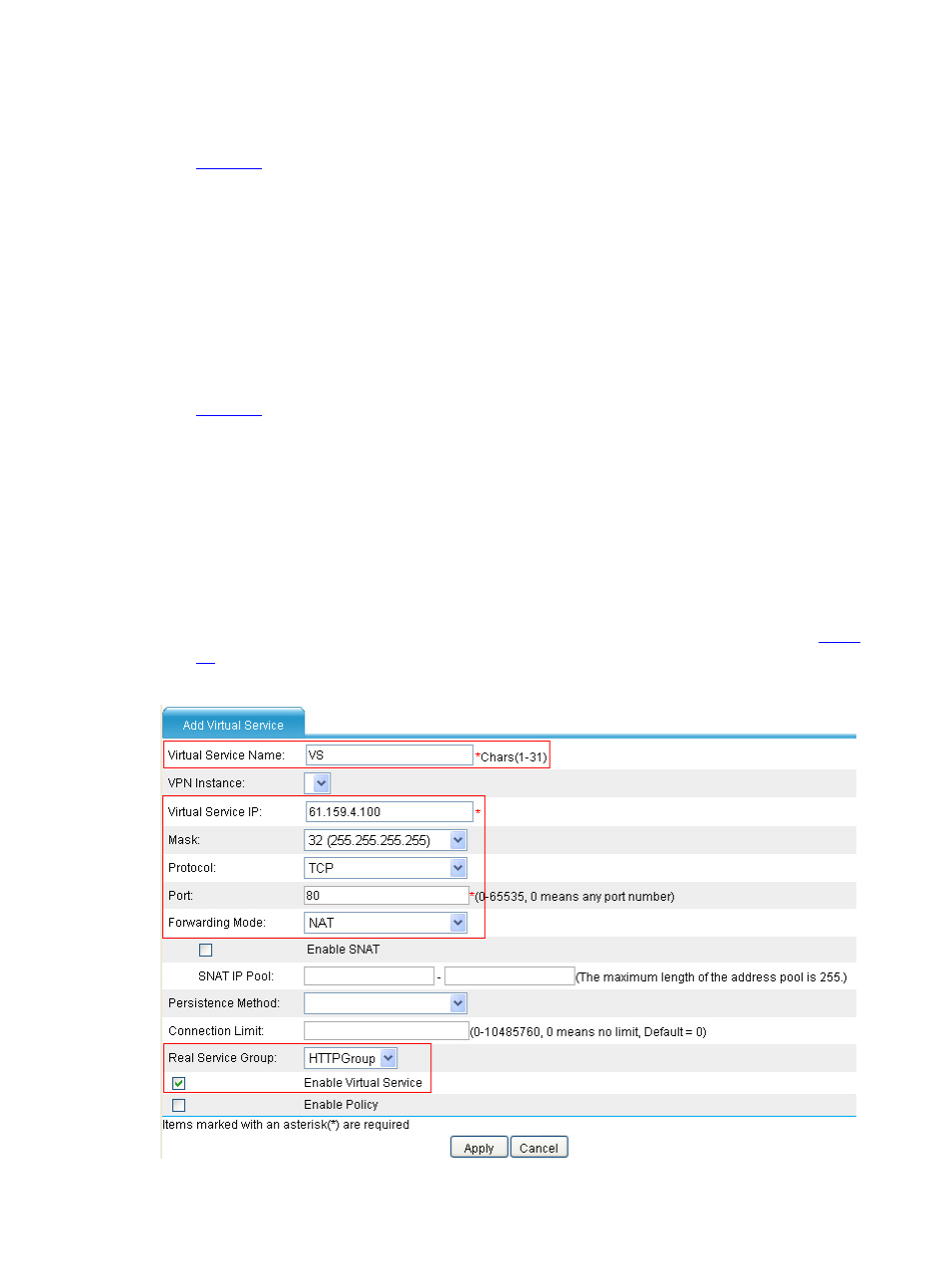
# Create virtual service VS.
•
Click Virtual Service, and click Add to perform the following configurations, as shown in
.
Figure 47 Create virtual service VS