Figure 6 – H3C Technologies H3C SecPath F1000-E User Manual
Page 486
8
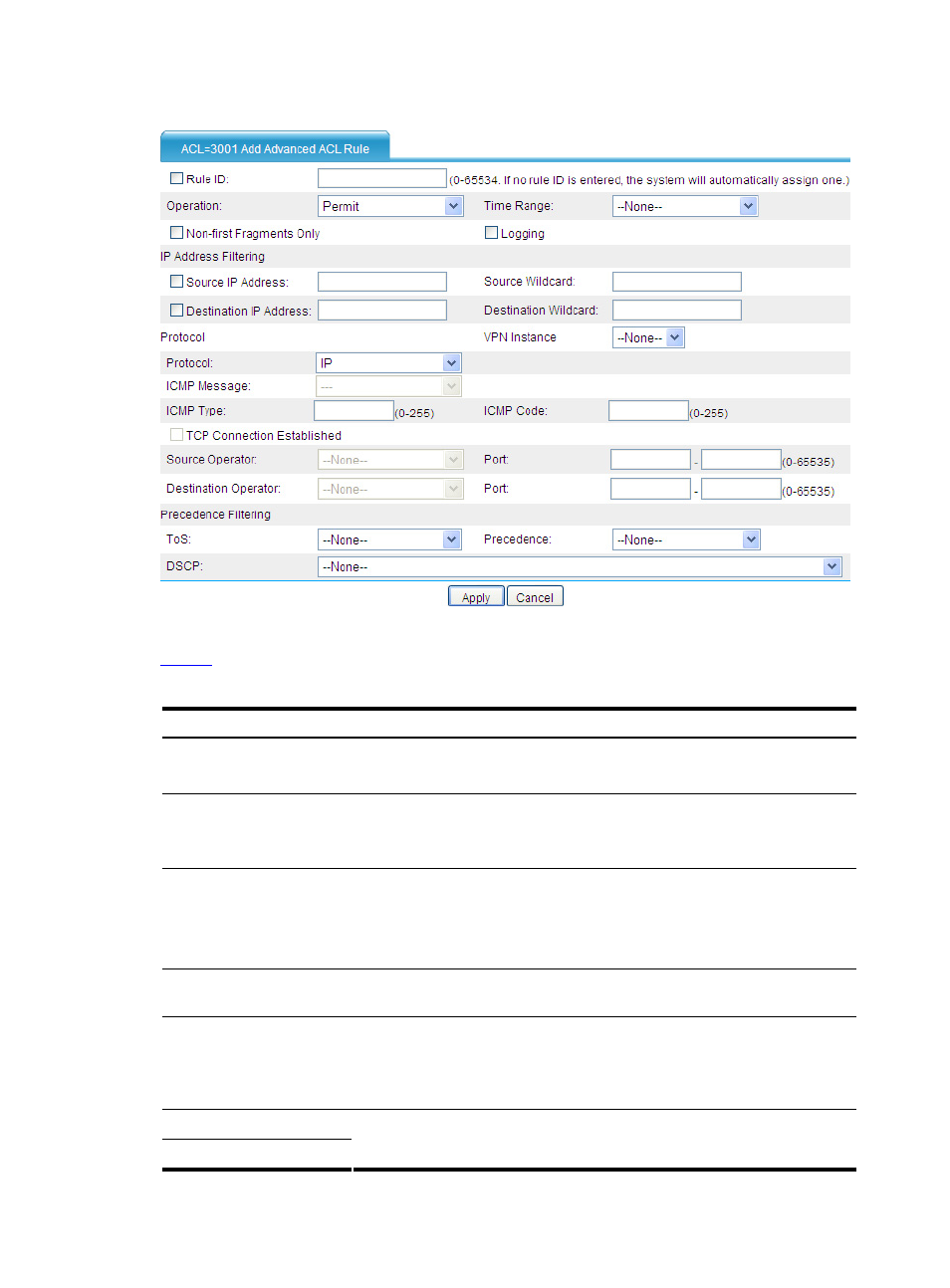
Figure 6 Advanced ACL rule configuration page
describes the configuration items for creating an advanced ACL rule.
Table 5 Advanced ACL rule configuration items
Item Description
Rule ID
Select the Rule ID check box and type a number for the rule.
If you do not specify the rule number, the system will assign one automatically.
Operation
Select the operation to be performed for packets matching the rule.
•
Permit: Allows matched packets to pass.
•
Deny: Drops matched packets.
Time Range
Select a time range for the rule.
If you select None, the rule will be always effective.
Define the time ranges to be referenced by selecting Resource > Time
Range from the navigation tree.
Non-first Fragments Only
Select this check box to apply the rule to only non-first fragments. If you do no
select this check box, the rule applies to all fragments and non-fragments.
Logging
Select this check box to keep a log of matched IPv4 packets.
A log entry contains the ACL rule number, operation for the matched packets,
protocol that IP carries, source/destination address, source/destination port
number, and number of matched packets.
Source IP Address
Source Wildcard
Select the Source IP Address check box and type a source IP address and
source wildcard, in dotted decimal notation.