N in, Figure 15 – H3C Technologies H3C SecPath F1000-E User Manual
Page 633
13
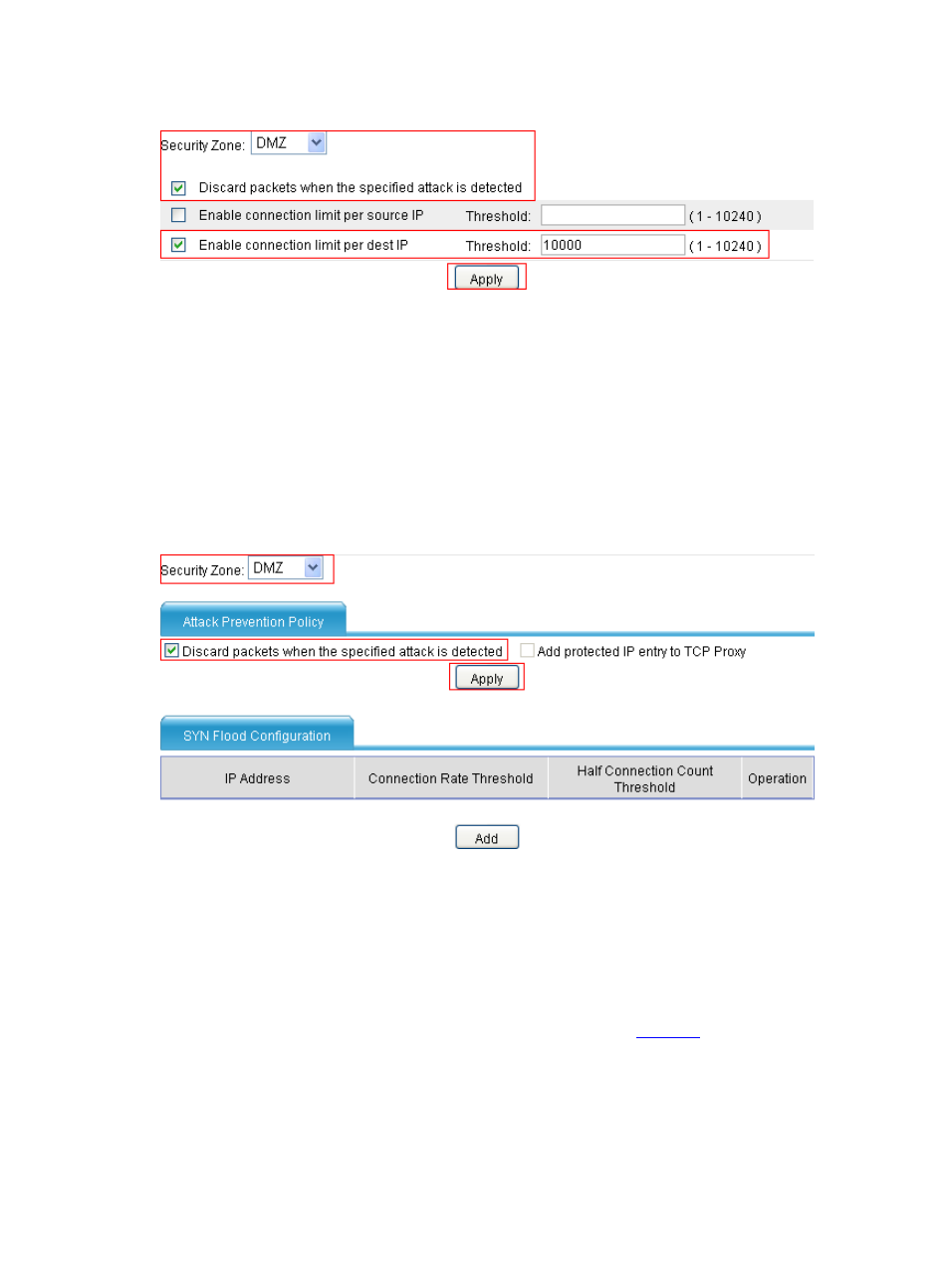
Figure 15 Configure connection limit for the DMZ
•
Select zone DMZ.
•
Select the Discard packets when the specified attack is detected option.
•
Select the Enable connection limit per dest IP option and set the threshold to 10000.
•
Click Apply.
# Configure SYN flood detection for the DMZ.
From the navigation tree, select Intrusion Detection > Traffic Abnormality > SYN Flood to
enter the SYN flood detection confirmation page and perform the configurations shown in .
Figure 16 Configure SYN flood detection for the DMZ
•
Select zone DMZ.
•
In the Attack Prevention Policy area, select the Discard packets when the specified
attack is detected option.
•
Click Apply.
•
In the SYN Flood Configuration area, click Add.
•
On the page that appears, perform the configurations shown in
.