Configuration procedure – H3C Technologies H3C SecPath F1000-E User Manual
Page 405
Advertising
3
Configuration procedure
# Configure the IP address of the interface and the zone to which it belongs. (Omitted)
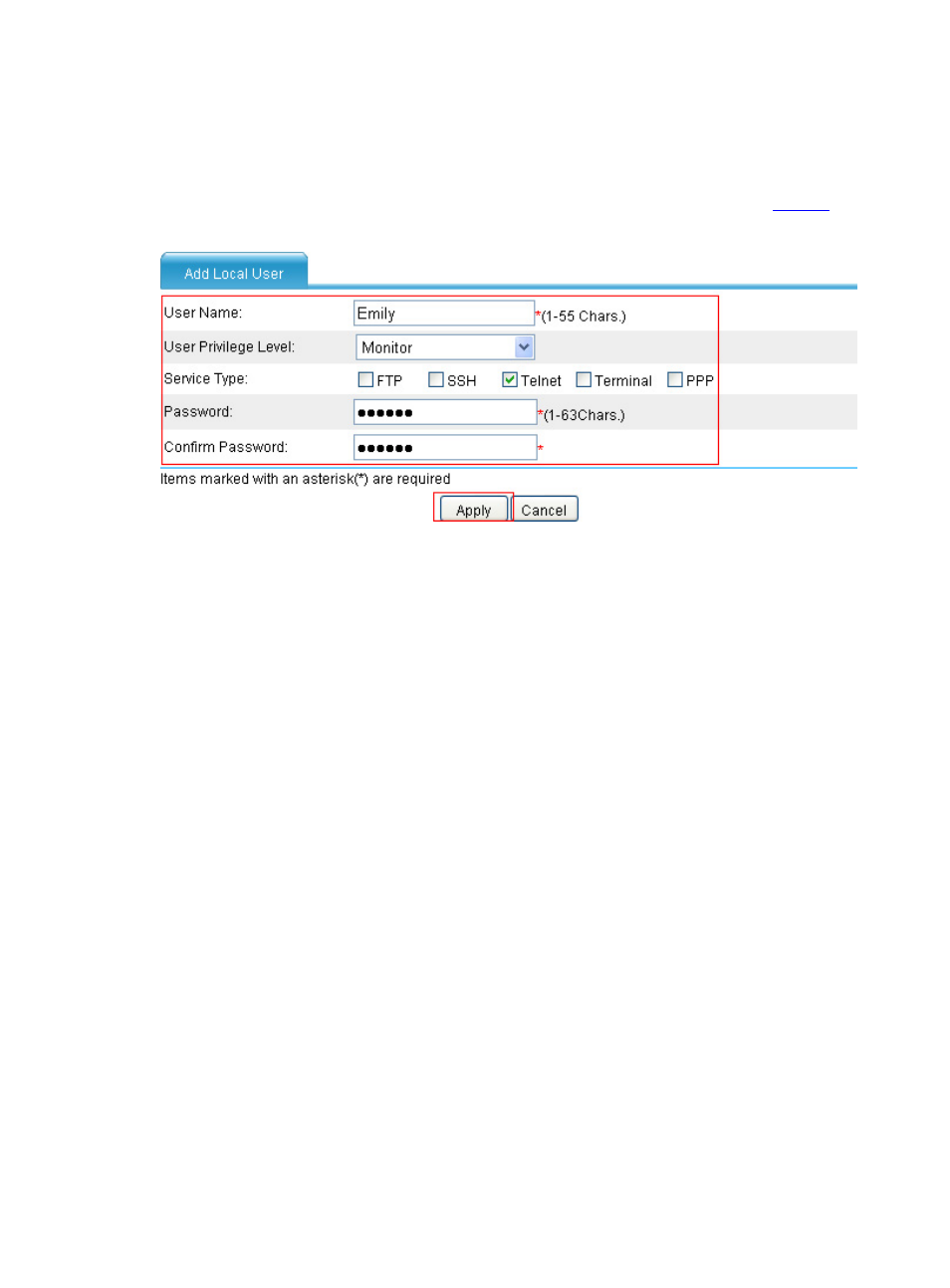
# Configure local user Emily, with the privilege level Monitor and service type Telnet.
•
Select User > Local User in the navigation tree and then click Add, as shown in
.
Figure 4 Create a local user
•
Type Emily as the username.
•
Select Monitor as the user privilege level.
•
Select Telnet as the service type.
•
Type aabbcc as the password.
•
Type aabbcc as the confirm password.
•
Click Apply.
Advertising
This manual is related to the following products: