Configuration procedure – H3C Technologies H3C SecPath F1000-E User Manual
Page 320
Advertising
25
Figure 27 Network diagram for OSPF
Area 0
Area 1
NSSA
Area 2
Device C
GE0/1
10.1.1.2/24
GE0/1
10.1.1.1/24
GE0/0
10.4.1.1/24
GE0/1
10.2.1.2/24
Device B
GE0/0
10.3.1.1/24
GE0/1
10.3.1.2/24
Device A
GE0/0
10.2.1.1/24
GE0/0
10.5.1.1/24
Device D
ASBR
Configuration procedure
Step1
Configure IP addresses for interfaces and configure security zones (omitted).
Step2
Configuring OSPF basic functions.
# Configure Device A.
•
Select Network > Routing Management > OSPF from the navigation tree of Device A.
•
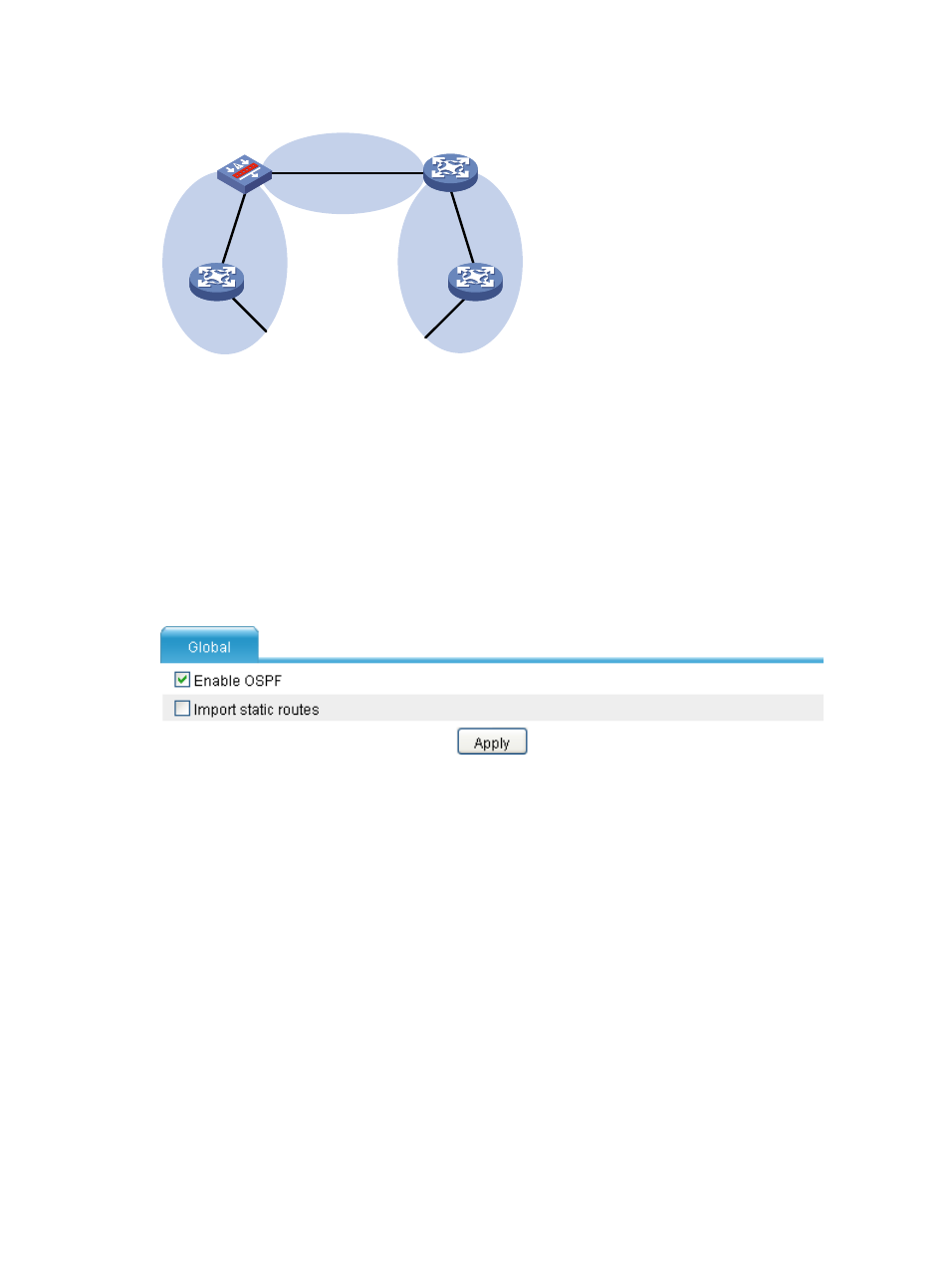
Select the Enable OSPF check box, as shown in the following figure.
Figure 28 Enable OSPF
•
Click Apply. After you enable OSPF, the following figure is displayed.
Advertising
This manual is related to the following products: