H3C Technologies H3C SecPath F1000-E User Manual
Page 640
Advertising
5
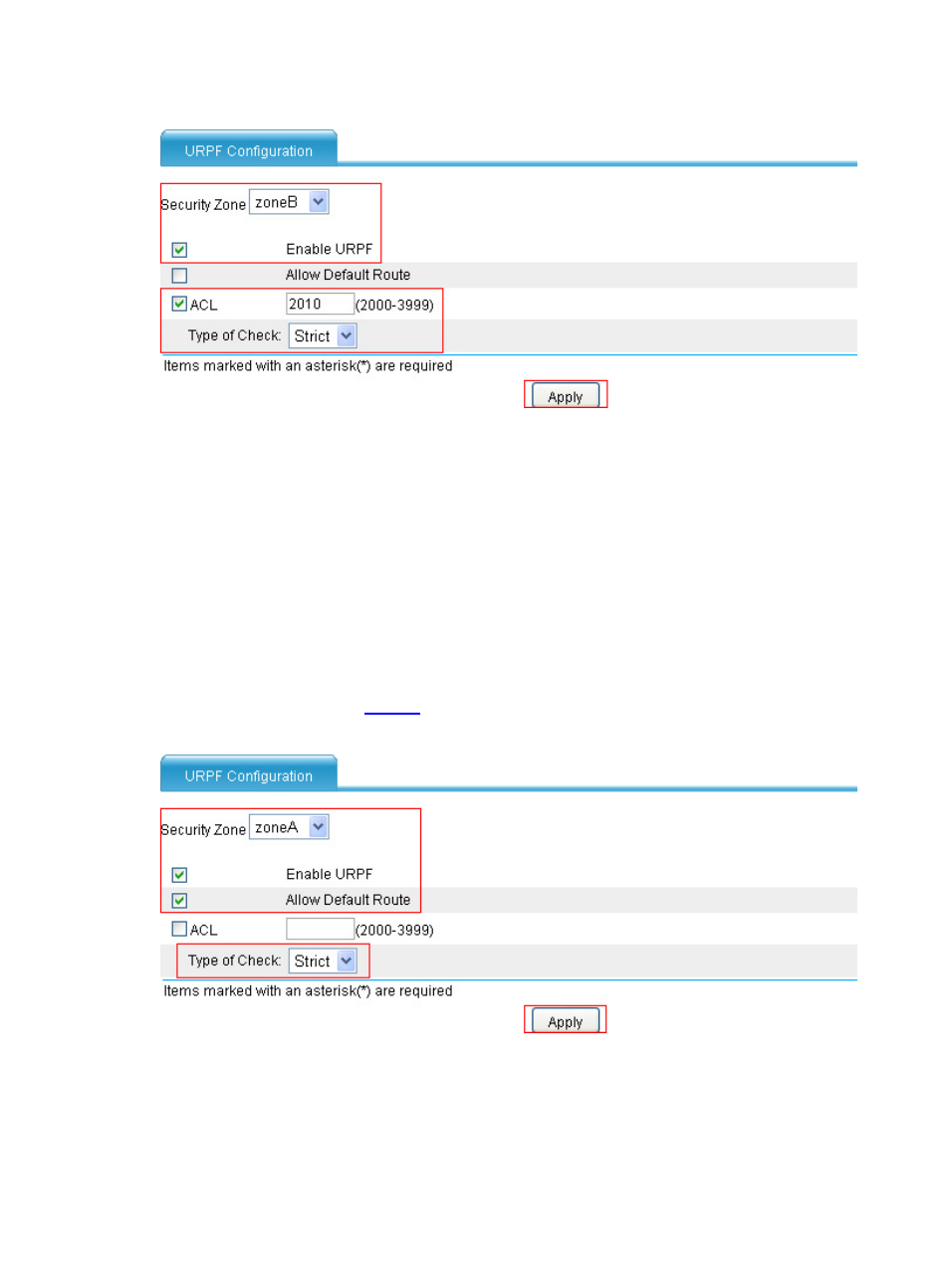
Figure 6 Configure URPF in zoneB
•
Select zoneB in Security Zone.
•
Select Enable URPF.
•
Select ACL and type 2010 in the text box.
•
Select Strict in Type of Check.
•
Click Apply.
2.
Configure Device A
# Configure the interface IP addresses and security zones they belong to. (Omitted)
# Enable strict URPF check in zoneA.
•
Select Intrusion Detection > URPF Check from the navigation tree and perform the following
operations, as shown in
.
Figure 7 Configure URPF on zoneA
•
Select zoneA in Security Zone.
•
Select Enable URPF.
•
Select Allow Default Route.
•
Select Strict in Type of Check.
Advertising
This manual is related to the following products: