N in, Figure – H3C Technologies H3C SecPath F1000-E User Manual
Page 423
15
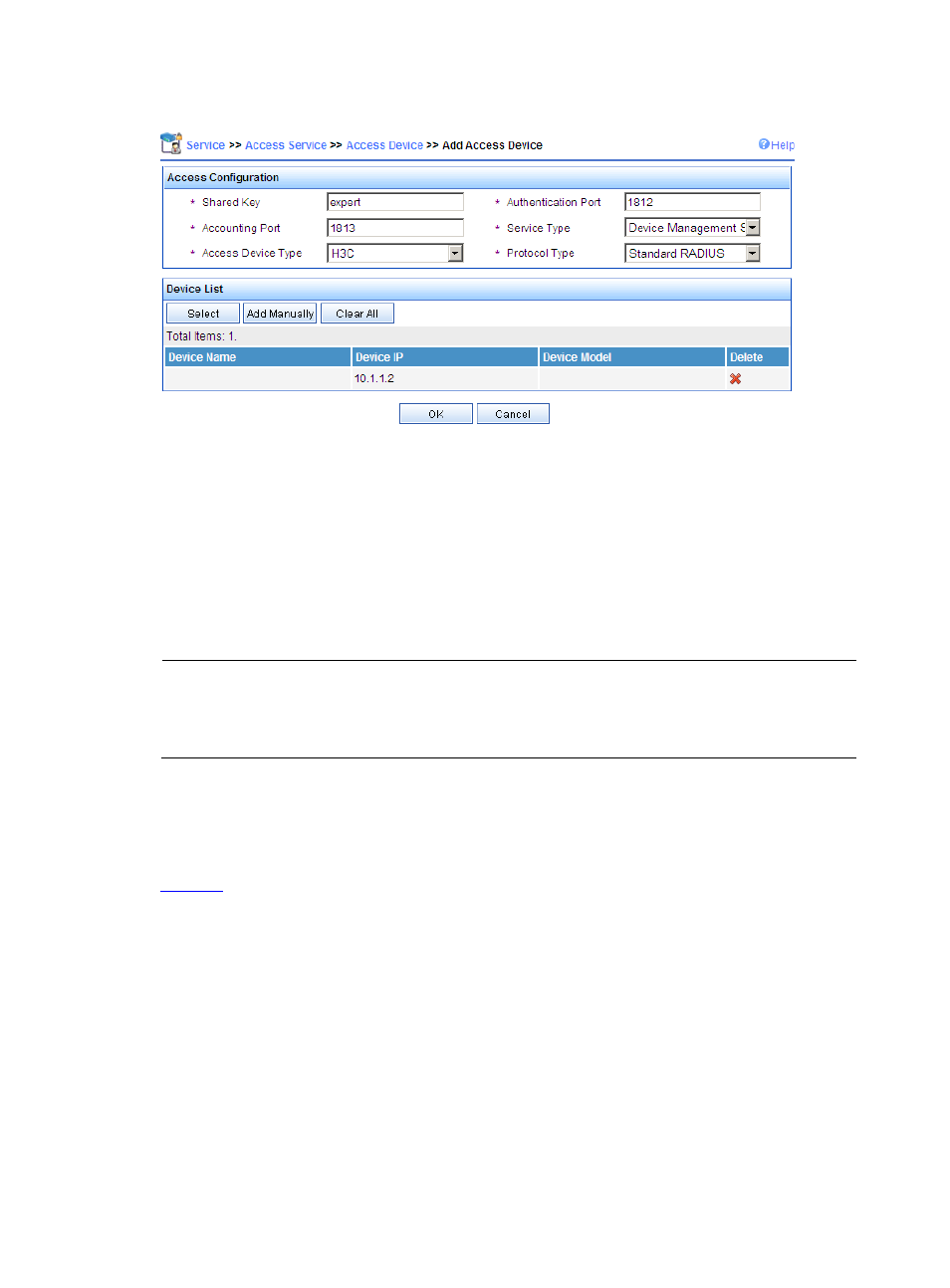
Figure 10 Add an access device
•
Set the shared keys for authentication and accounting packets to expert
•
Specify the ports for authentication and accounting as 1812 and 1813 respectively
•
Select Device Management Service as the service type
•
Select H3C as the access device type
•
Select the access device from the device list or manually add the device with the IP address of
10.1.1.2
•
Click OK to finish the operation.
NOTE:
The IP address of the access device must be the same as the source IP address of the RADIUS packets sent
from the device. By default, the source IP address of a RADIUS packet is the IP address of the interface
through which the packet is sent out.
# Add a user for device management.
Log into the iMC management platform, select the User tab, and select Access User View > All
Access Users from the navigation tree to enter the All Access Users page. Then, click Add to enter
the Add Device Management User page and perform the following configurations, as shown in