Qos configuration examples, Car configuration example, Network requirements – H3C Technologies H3C SecPath F1000-E User Manual
Page 529: Configuration procedure
21
QoS Configuration Examples
CAR Configuration Example
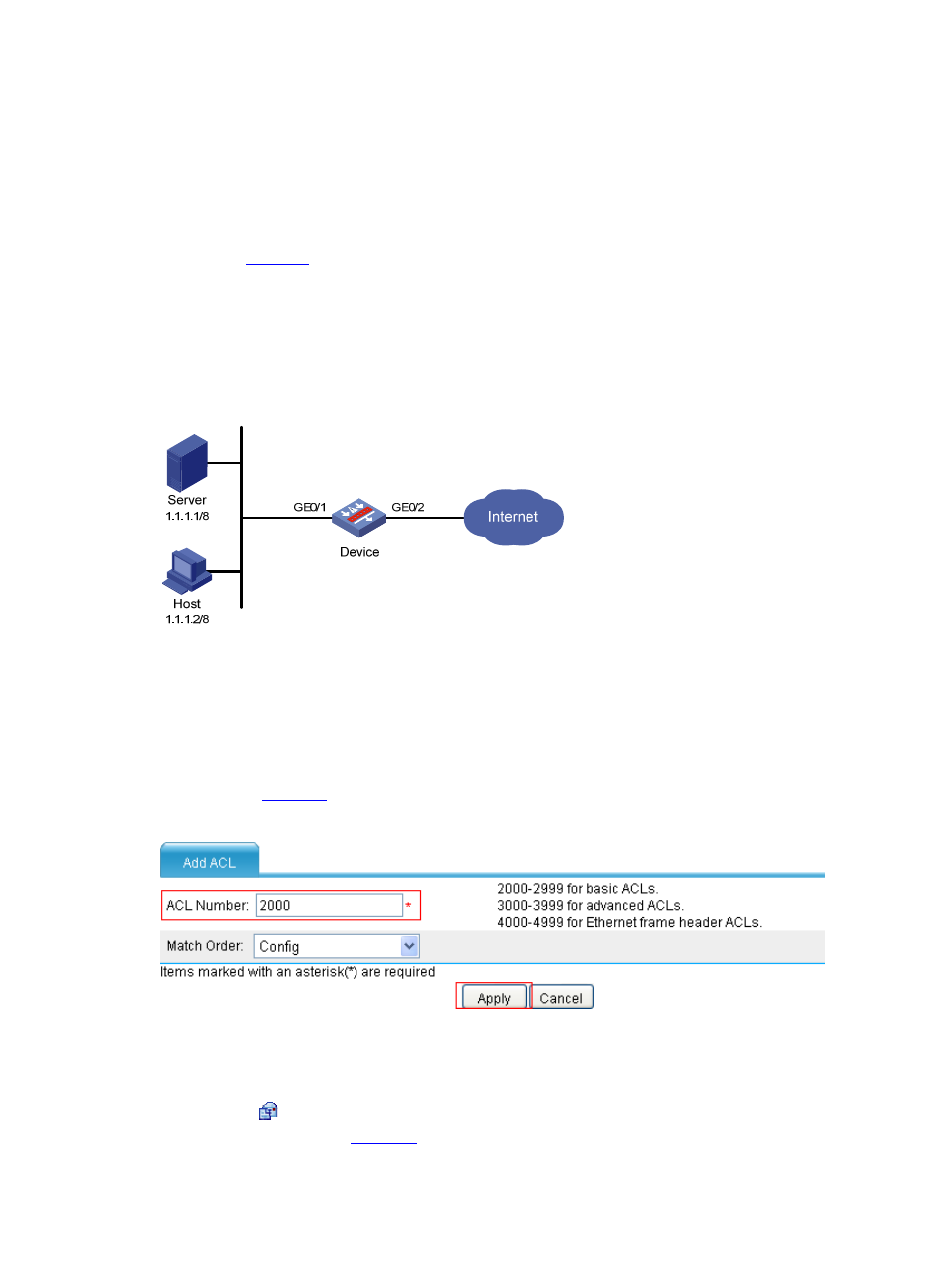
Network requirements
As shown in
, Server and Host can access the Internet through Device. Perform traffic control on
GigabitEthernet 1/0/1 of Device for traffic received from Server and Host respectively, as follows:
•
Limit the rate of traffic from Server to 54 kbps to transmit the conforming traffic but drop the
exceeding traffic.
•
Limit the rate of traffic from Host to 8 kbps to transmit the conforming traffic but dropping the
exceeding traffic.
Figure 18 Network diagram for CAR configuration
Configuration procedure
Step1
Configure ACLs
# Configure ACL 2000 to match traffic from Server.
•
Select Firewall > ACL from the navigation tree, and click Add. Perform configuration on the page
shown in
.
Figure 19 Create ACL 2000
•
Type 2000 as the ACL number.
•
Click Apply.
•
Click the icon corresponding to ACL 2000 on the ACL list, and click Add. Perform configuration
on the page shown in
.