H3C Technologies H3C SecPath F1000-E User Manual
Page 916
Advertising
51
•
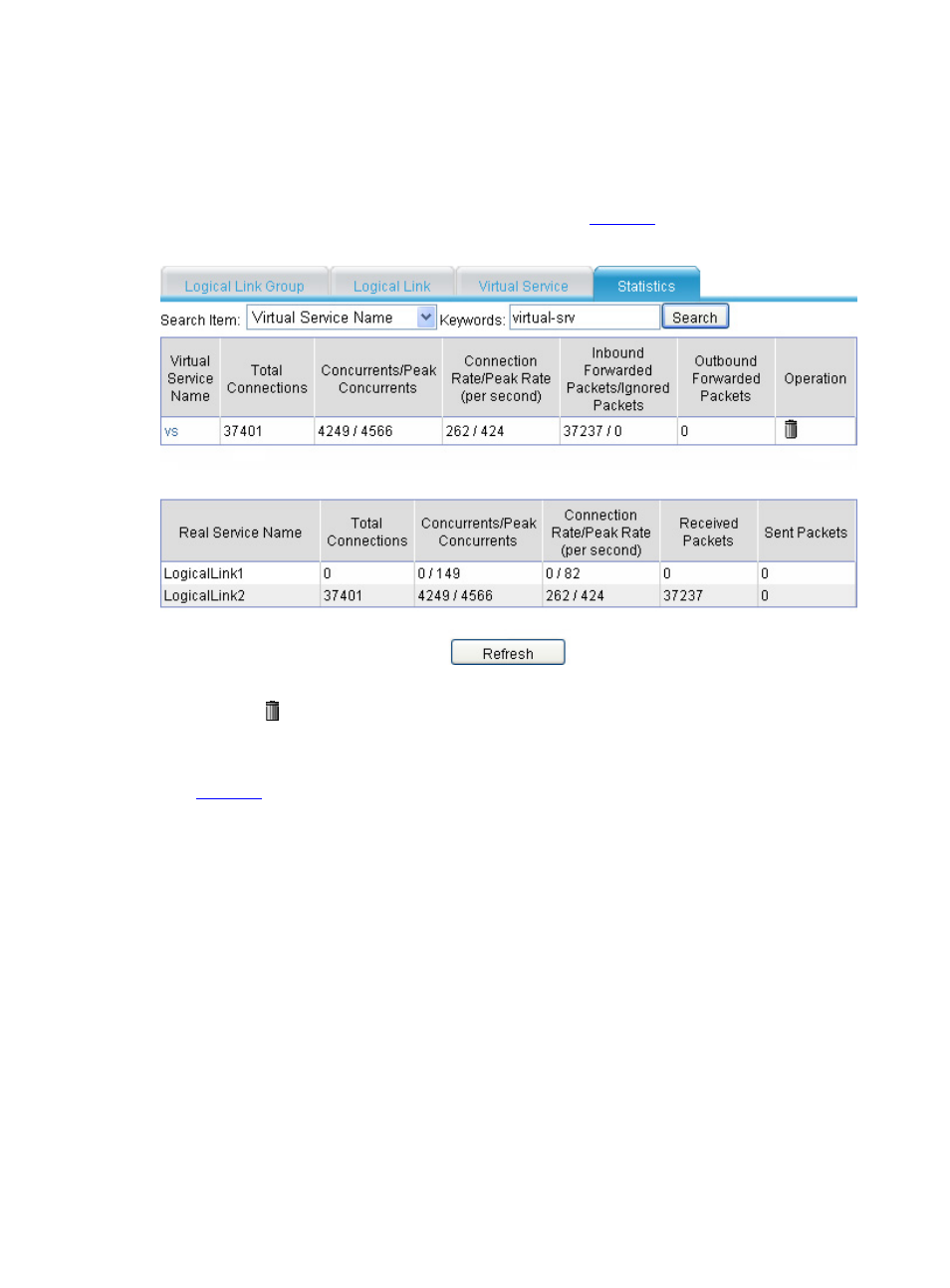
After the system runs for a period of time, select High Reliability > Load Balance > Link
Load Balance > Outbound from the navigation tree, and then click the Statistics tab.
•
Select Virtual Service Name.
•
Type keyword vs.
•
Click Search, and you will see the statistics as shown in
.
Figure 57 Statistics (I)
•
Click the
icon to clear the statistics of virtual service vs.
•
The intranet users send packets with the destination in the 10.66.3.0/24 segment to the extranet.
•
After the system runs for a period of time, click Refresh, and you will see the statistics as shown in
.
Advertising
This manual is related to the following products: